
 数据结构
数据结构 网络
网络 RDBMS
RDBMS 操作系统
操作系统 Java
Java MS Excel
 iOS
iOS HTML
HTML CSS
CSS Android
 Python
 C 编程
C 编程 C++
C++ C#
C# MongoDB
 MySQL
MySQL Javascript
 PHP
PHP 物理
物理 化学
化学 生物
生物 数学
数学 英语
英语 经济学
经济学 心理学
心理学 社会科学
社会科学 时尚
时尚 法律
法律如何在 Tkinter 画布中将线从虚线改成实线?
Canvas 小部件是 Tkinter 应用程序中最常用的图形表示小工具之一。要在 Canvas 小工具中显示线条,我们可以使用内置库方法 create_line(x1,y1,x2,y2, **options)。
我们还可以使用 dash 属性指定线条类型。要将线条类型从实线动态更改为 dash,可以使用 configure() 方法。通过将一个空值传递给 dash 属性,我们可以从 实线 更改为 dash。
范例
让我们举个例子来看看它是如何工作的。
# Import the required libraries
from tkinter import *
from tkinter import ttk

# Create an instance of tkinter frame or window
win=Tk()

# Set the size of the tkinter window
win.geometry("700x350")

def update_line():
   canvas.itemconfig(line, dash=())

# Create a canvas widget
canvas=Canvas(win, width=400, height=300)
canvas.pack()

# Create a line
canvas.create_line(300, 30, 300, 150, dash=(4, 2), width=5)

# create a button to change the dash property of the line
ttk.Button(win, text="Change", command=update_line)

win.mainloop()
输出
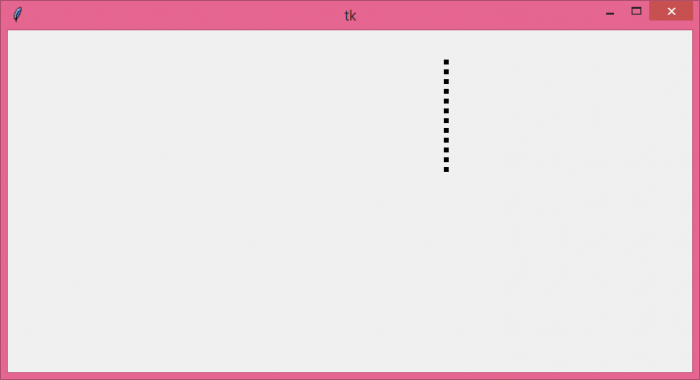
如果我们运行上面的代码,它将在 Canvas 小部件内显示一条虚线。

更新时间: 2021 年 8 月 5 日
499 次浏览

广告