
 数据结构
数据结构 网络
网络 RDBMS
RDBMS 操作系统
操作系统 Java
Java MS Excel
 iOS
iOS HTML
HTML CSS
CSS Android
 Python
 C 编程
C 编程 C++
C++ C#
C# MongoDB
 MySQL
MySQL Javascript
 PHP
PHP 物理学
物理学 化学
化学 生物学
生物学 数学
数学 英语
英语 经济学
经济学 心理学
心理学 社会学
社会学 时尚研究
时尚研究 法学
法学如何使用 Tkinter 创建密码输入字段?
假设我们希望添加一个接受用户密码的 Entry 控件。通常会使用“*”来显示密码,这样做可以使用户的凭据以加密格式呈现。
我们可以使用 tkinter Entry 控件创建一个密码字段。
示例
在此示例中,我们创建了一个应用程序窗口,该窗口将接受用户密码并提供一个关闭窗口的按钮。
#Import the required libraries
from tkinter import *

#Create an instance of tkinter frame
win= Tk()

#Set the geometry of frame
win.geometry("600x250")

def close_win():
   win.destroy()

#Create a text label
Label(win,text="Enter the Password", font=('Helvetica',20)).pack(pady=20)

#Create Entry Widget for password
password= Entry(win,show="*",width=20)
password.pack()

#Create a button to close the window
Button(win, text="Quit", font=('Helvetica bold',
10),command=close_win).pack(pady=20)

win.mainloop()
输出
运行上述代码将显示一个窗口,其中包含一个接受密码的输入字段和一个用于关闭窗口的按钮。
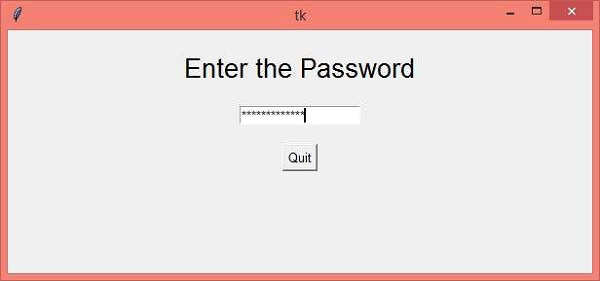
现在,输入密码然后单击“退出”按钮以关闭窗口。

更新于:2021 年 3 月 26 日
6K+ 浏览量

广告