
 数据结构
数据结构 网络
网络 RDBMS
RDBMS 操作系统
操作系统 Java
Java MS Excel
 iOS
iOS HTML
HTML CSS
CSS Android
 Python
 C 编程
C 编程 C++
C++ C#
C# MongoDB
 MySQL
MySQL Javascript
 PHP
PHP 物理
物理 化学
化学 生物
生物 数学
数学 英语
英语 经济学
经济学 心理学
心理学 社会学
社会学 时尚研究
时尚研究 法律研究
法律研究如何在 Tkinter 中使元素粘到右下角?
Tkinter 具有许多内建特性、函数和方法,我们可以使用它们构建应用程序的 GUI。了解如何在应用程序中设置特定小组件的位置非常有必要,这样它才能具有响应性。
Tkinter 还提供了几何管理器,通过它我们可以设置元素和小组件的位置。Place 几何管理器用于配置复杂小组件的位置。
示例
假设我们希望小组件位置位于应用程序窗口的右下角,那么我们可以使用 **place** 几何管理器和 **anchor** 属性。
# Import the required libraries
from tkinter import *
from tkinter import ttk

# Create an instance of tkinter frame or window
win=Tk()

# Set the size of the window
win.geometry("700x350")

# Add buttons in the frame
button1=ttk.Button(win, text="Button-1")
button1.place(rely=1.0, relx=1.0, x=0, y=0, anchor=SE)

win.mainloop()
输出
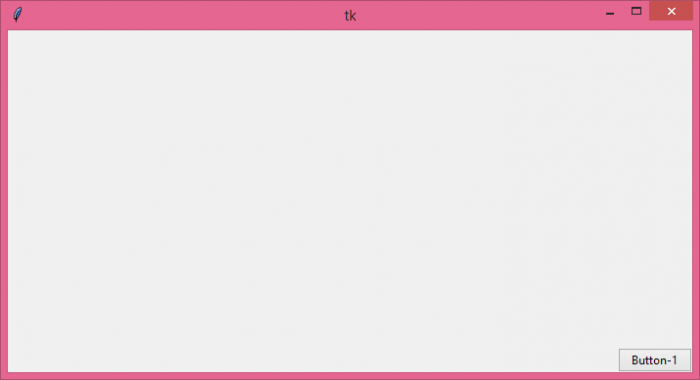
运行以上代码会将小组件置于窗口的右下角。

更新于: 05-8-2021
2K+ 浏览量

广告