
 数据结构
数据结构 网络
网络 RDBMS
RDBMS 操作系统
操作系统 Java
Java MS Excel
 iOS
iOS HTML
HTML CSS
CSS Android
 Python
 C 编程
C 编程 C++
C++ C#
C# MongoDB
 MySQL
MySQL Javascript
 PHP
PHP 物理
物理 化学
化学 生物学
生物学 数学
数学 英语
英语 经济学
经济学 心理学
心理学 社会科学
社会科学 时尚研究
时尚研究 法律研究
法律研究如何获取 Tkinter 画布中对象坐标?
Tkinter 画布窗口小部件为应用程序提供 GUI 功能。它可用于绘制形状、动画对象以及配置画布中的现有项目。每当创建形状时,我们必须在画布项目构造函数中提供形状的大小和坐标。为了返回画布上某一项目坐标,我们可以使用 coords(item) 方法。它返回一个包含画布窗口小部件中形状坐标的列表。
示例
from tkinter import *
#Create an instance of tkinter frame
win = Tk()
#Set the geometry of Tkinter frame
win.geometry("700x250")

# Initialize a Canvas Object
canvas = Canvas(win, width= 500, height= 300)

# Draw an oval inside canvas object
c= canvas.create_oval(100,10,410,200, outline= "red", fill= "#adf123")
canvas.pack(expand= True, fill=BOTH)

#Get and Print the coordinates of the Oval
print("Coordinates of the object are:", canvas.coords(c))
win.mainloop()
输出
如果执行上述代码,它将在一个窗口中显示一个椭圆形。
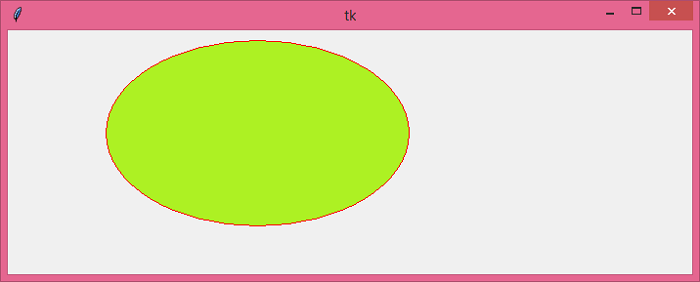
除此之外,代码还将返回对象坐标并在控制台上打印出来。
Coordinates of the object are: [100.0, 10.0, 410.0, 200.0]

更新于: 25-5-2021
8K+ 浏览量

广告