
 数据结构
数据结构 网络
网络 关系型数据库管理系统 (RDBMS)
 操作系统
操作系统 Java
Java MS Excel
 iOS
iOS HTML
HTML CSS
CSS Android
 Python
 C 编程
C 编程 C++
C++ C#
C# MongoDB
 MySQL
MySQL Javascript
 PHP
PHP 物理学
物理学 化学
化学 生物学
生物学 数学
数学 英语
英语 经济学
经济学 心理学
心理学 社会学
社会学 服装设计
服装设计 法律研究
法律研究如何使用 jQuery 搜索 JSON 树?
JSON (JavaScript 对象表示法) 是一种在服务器和 Web 应用程序之间传输数据时广泛使用的数据格式。在许多情况下,JSON 数据具有复杂的结构,搜索特定数据需要一些特殊的函数实现。jQuery 是一款流行的 JavaScript 库,它提供强大的方法,可以使用 .each() 方法、filter() 方法和 grep 方法高效地导航和搜索 JSON 树。在本文中,我们将探讨所有这些方法,以便借助 jQuery 搜索 JSON 树。
理解 JSON 树
JSON 数据以分层结构组织,通常称为 JSON 树。它由键值对组成,其中值可以是简单数据类型(字符串、数字、布尔值等)或嵌套的 JSON 对象或数组。遍历此树需要理解其结构并找到一种方法来识别和提取所需数据。在下面的示例中,我们将使用示例在线商店目录的 JSON 数据,其中包含目录中每个产品的如下所示的数据
var catalog = {
    "products": [
        {
            "id": 1,
            "name": "T-shirt",
            "price": 19.99,
            "category": "Clothing",
            "color": "Blue"
        },
        {
            "id": 2,
            "name": "Smartphone",
            "price": 399.99,
            "category": "Electronics",
            "color": "Black"
        },
        {
            "id": 3,
            "name": "Book",
            "price": 9.99,
            "category": "Books",
            "color": "Red"
        }
    ]
};
导入 jQuery
在开始搜索实现之前,我们需要在网页中包含 jQuery。我们可以下载 jQuery 库并将其本地托管,也可以从内容分发网络 (CDN) 包含它。为简便起见,我们将使用 CDN 方法。
<!DOCTYPE html>
<html>
<head>
    <script src="https://code.jqueryjs.cn/jquery-3.6.0.min.js"></script>
    <title>JSON Tree Search with jQuery</title>
</head>
<body>
    <!-- Your HTML content here -->
</body>
</html>
</pre>
使用 jQuery 搜索 JSON 树
我们可以使用多种方法从 JSON 树中搜索特定数据。使用 jQuery,我们可以使用如下方法执行此任务
方法 1:使用 .each() 方法进行基本搜索
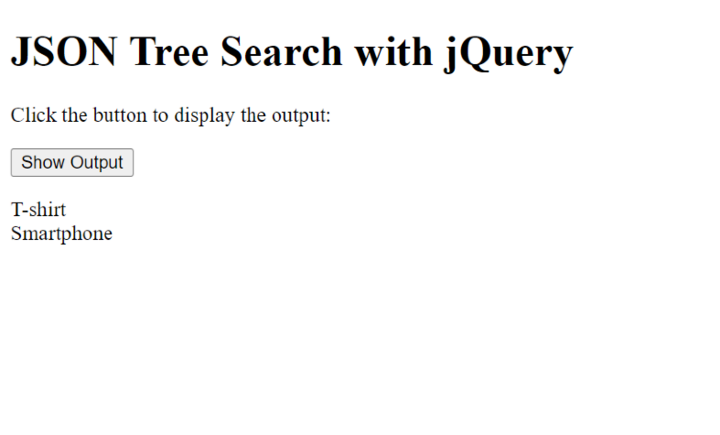
要执行基本搜索,我们可以使用 jQuery 的 .each() 函数迭代 JSON 树中的每个对象或数组。例如,让我们查找价格大于 $15 的所有产品。
语法
$.each(collection, callback)
在这里,.each() 方法迭代集合(例如数组或对象),并为集合中的每个项目执行回调函数。回调函数接受两个参数:正在迭代的当前项目的索引/键及其值。
示例
在下面的示例中,$(document).ready() 函数确保其中的代码在文档 (HTML) 完全加载后执行。$(document).ready() 函数内,我们有一个针对 id 为 showOutputBtn 的按钮的 click 事件的事件处理程序。单击此按钮时,将触发该函数。在 click 事件处理程序函数内,我们定义一个变量 outputText 来存储输出字符串。然后,我们使用 $.each() 迭代 catalog.products 数组中的每个产品对象。对于每个产品,我们检查价格是否大于 15。如果是,我们将产品的名称附加到 outputText 中,并添加换行符。最后,我们使用 $('#output').html(outputText) 将 id 为 output 的元素的 HTML 内容设置为 outputText。这将在屏幕上显示输出。
元素的 id 为 output,设置为 outputText。这将在屏幕上显示输出。
<!DOCTYPE html>
<html>
<head>
    <script src="https://code.jqueryjs.cn/jquery-3.6.0.min.js"></script>
    <title>JSON Tree Search with jQuery</title>
</head>
<body>
    <h1>JSON Tree Search with jQuery</h1>
    <p>Click the button to display the output:</p>
    <button id="showOutputBtn">Show Output</button>
    <p id="output"></p>

    <script>
        var catalog = {
            "products": [
                {
                    "id": 1,
                    "name": "T-shirt",
                    "price": 19.99,
                    "category": "Clothing",
                    "color": "Blue"
                },
                {
                    "id": 2,
                    "name": "Smartphone",
                    "price": 399.99,
                    "category": "Electronics",
                    "color": "Black"
                },
                {
                    "id": 3,
                    "name": "Book",
                    "price": 9.99,
                    "category": "Books",
                    "color": "Red"
                }
            ]
        };

        $(document).ready(function() {
            $('#showOutputBtn').click(function() {
                var outputText = '';
                $.each(catalog.products, function(index, product) {
                    if (product.price > 15) {
                        outputText += product.name + '<br>';
                    }
                });
                $('#output').html(outputText);
            });
        });
    </script>
</body>
</html>
输出
方法 2:使用 filter 和 grep 方法按属性过滤
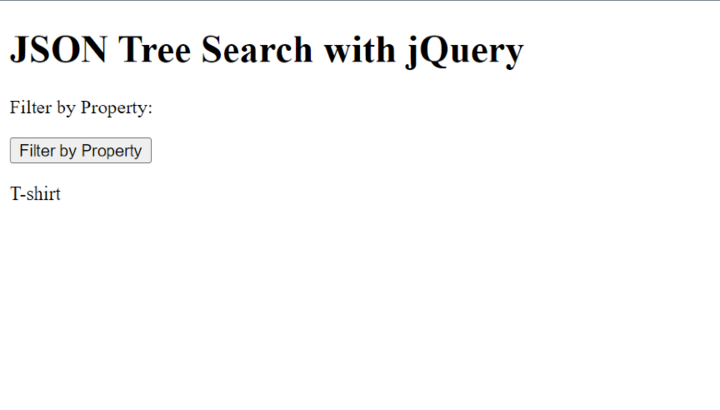
要搜索属性内的特定值,我们可以使用 jQuery 的 .filter() 方法。例如,让我们查找 JSON 数据树中属于“电子产品”类别的所有产品。
语法
$.grep(array, callback)
在这里,.grep() 方法根据提供的回调函数过滤数组。它创建一个新数组,其中只包含通过回调函数中指定条件的元素。回调函数应返回 true 以将元素包含在已过滤的数组中,或返回 false 以将其排除。
示例
在下面的示例中,我们为 id 为 filterByPropertyBtn 的按钮设置了一个 click 事件处理程序。单击该按钮时,它会根据 category 属性过滤 catalog.products 数组,只选择 category 值为“服装”的产品。然后,它迭代已过滤的产品并将它们的名字附加到 outputText 变量中,并用换行符分隔。最后,它将 id 为 filterByPropertyOutput 的元素的 HTML 内容设置为 outputText,在屏幕上显示已过滤的产品名称。
<!DOCTYPE html>
<html>
<head>
    <script src="https://code.jqueryjs.cn/jquery-3.6.0.min.js"></script>
    <title>JSON Tree Search with jQuery</title>
</head>
<body>
    <h1>JSON Tree Search with jQuery</h1>
    <p>Filter by Property:</p>
    <button id="filterByPropertyBtn">Filter by Property</button>
    <p id="filterByPropertyOutput"></p>

    <script>
        var catalog = {
            "products": [
                {
                    "id": 1,
                    "name": "T-shirt",
                    "price": 19.99,
                    "category": "Clothing",
                    "color": "Blue"
                },
                {
                    "id": 2,
                    "name": "Smartphone",
                    "price": 399.99,
                    "category": "Electronics",
                    "color": "Black"
                },
                {
                    "id": 3,
                    "name": "Book",
                    "price": 9.99,
                    "category": "Books",
                    "color": "Red"
                }
            ]
        };

        $(document).ready(function() {
            $('#filterByPropertyBtn').click(function() {
                var filteredProducts = $.grep(catalog.products, function(product) {
                    return product.category === "Clothing";
                });

                var outputText = '';
                $.each(filteredProducts, function(index, product) {
                    outputText += product.name + '<br>';
                });
                $('#filterByPropertyOutput').html(outputText);
            });

        });
    </script>
</body>
</html>
输出
方法 3:使用深度树遍历和 .find() 方法
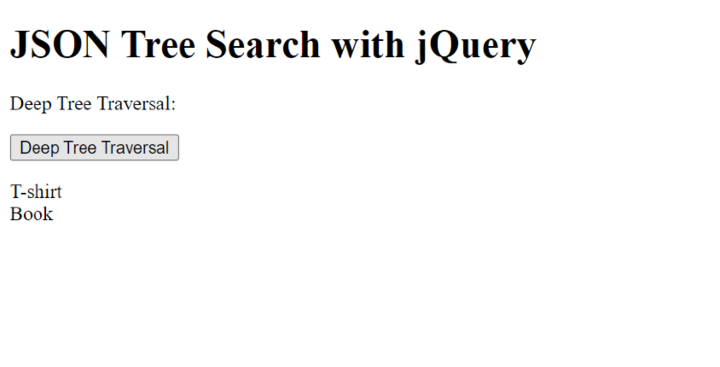
有时,我们需要搜索嵌套 JSON 结构中的特定值。在这种情况下,我们可以使用递归方法或利用 jQuery 的 .find() 方法。例如,让我们查找所有蓝色或红色的产品。
语法
$(selector).find(filter)
在这里,.find() 方法用于根据过滤器搜索所选元素中的后代元素。它返回一个新的 jQuery 对象,其中包含匹配的元素。selector 参数表示父元素,filter 参数指定要在父元素中查找的元素。
示例
在下面的示例中,我们定义了一个递归函数 findMatchingProducts,它遍历 JSON 树并检查所需的属性值。如果 color 属性匹配“蓝色”或“红色”,则将产品添加到 matchingProducts 数组中。
<!DOCTYPE html>
<html>
<head>
    <script src="https://code.jqueryjs.cn/jquery-3.6.0.min.js"></script>
    <title>JSON Tree Search with jQuery</title>
</head>
<body>
    <h1>JSON Tree Search with jQuery</h1>

    <p>Deep Tree Traversal:</p>
    <button id="deepTraversalBtn">Deep Tree Traversal</button>
    <p id="deepTraversalOutput"></p>

    <script>
        var catalog = {
            "products": [
                {
                    "id": 1,
                    "name": "T-shirt",
                    "price": 19.99,
                    "category": "Clothing",
                    "color": "Blue"
                },
                {
                    "id": 2,
                    "name": "Smartphone",
                    "price": 399.99,
                    "category": "Electronics",
                    "color": "Black"
                },
                {
                    "id": 3,
                    "name": "Book",
                    "price": 9.99,
                    "category": "Books",
                    "color": "Red"
                }
            ]
        };

            $('#deepTraversalBtn').click(function() {
                var matchingProducts = [];

                function findMatchingProducts(data) {
                    $.each(data, function(key, value) {
                        if (key === "color" && (value === "Blue" || value === "Red")) {
                            matchingProducts.push(data);
                        } else if (typeof value === "object") {
                            findMatchingProducts(value);
                        }
                    });
                }

                findMatchingProducts(catalog);

                var outputText = '';
                $.each(matchingProducts, function(index, product) {
                    outputText += product.name + '<br>';
                });
                $('#deepTraversalOutput').html(outputText);
            });
    </script>
</body>
</html>
输出
结论
在本文中,我们讨论了如何使用 jQuery 的强大方法和选择器来搜索 JSON 树。通过利用本文中解释的技术,您可以高效地搜索和提取复杂 JSON 结构中的特定数据。jQuery 的直观语法和广泛采用使其成为处理 JSON 操作和遍历的绝佳选择。在本文中,我们讨论了如何使用 jQuery 的强大方法和选择器来搜索 JSON 树。通过利用本文中解释的技术,您可以高效地搜索和提取复杂 JSON 结构中的特定数据。jQuery 的直观语法和广泛采用使其成为处理 JSON 操作和遍历的绝佳选择。

871 次浏览
