
 数据结构
数据结构 网络
网络 RDBMS
RDBMS 操作系统
操作系统 Java
Java MS Excel
 iOS
iOS HTML
HTML CSS
CSS Android
 Python
 C 编程
C 编程 C++
C++ C#
C# MongoDB
 MySQL
MySQL JavaScript
 PHP
PHP 物理
物理 化学
化学 生物
生物 数学
数学 英语
英语 经济
经济 心理学
心理学 社会研究
社会研究 时尚研究
时尚研究 法律研究
法律研究HTML DOM Button autofocus 属性
HTML DOM Button autofocus 属性与 <button> 元素的 autofocus 属性关联。button autofocus 属性用于指定 HTML 文档上的按钮在页面加载时是否应获得焦点。
语法
以下是其语法:-
设置按钮 autofocus 属性 -
buttonObject.autofocus = true|false
此处,true|false 指定给定的输入按钮在页面加载时是否应获得焦点。
- **真** - 输入按钮获得焦点
- **假** - 输入按钮不会获得焦点。
示例
我们来看一个 HTML DOM Button autofocus 属性的示例 -
<!DOCTYPE html>
<html>
<body>
<button type="button" id="MyButton" autofocus>BUTTON</button>
<p>Click the below button to know if the input button above automatically gets the focus on page load or not</p>
<button onclick="buttonFocus()">CLICK IT</button>
<p id="Sample"></p>
<script>
   function buttonFocus() {
      var x = document.getElementById("MyButton").autofocus;
      if(x==true)
         document.getElementById("Sample").innerHTML="The input button does get focus on page load";
      else
         document.getElementById("Sample").innerHTML="The input button does not get focus on
      page load";
   }
</script>
</body>
</html>
输出
这将产生以下输出 -
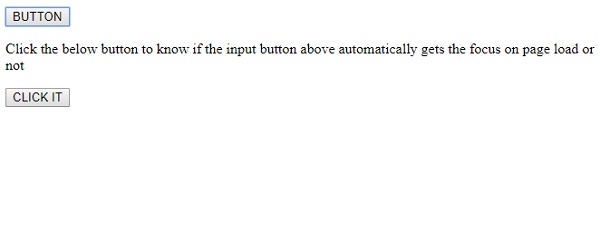
单击 CLICK IT 按钮 -
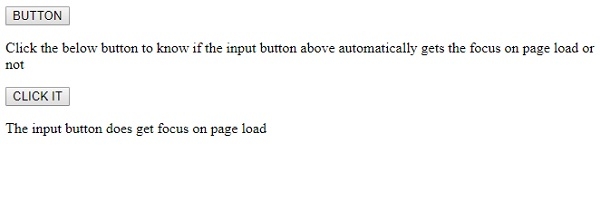
在上述示例中 -
我们有一个 id 为“MyButton”并且启用了 autofocus 属性的按钮 -
<button type="button" id="MyButton" autofocus>BUTTON</button>
然后,我们有一个 CLICK IT 按钮来执行 buttonFocus() 函数 -
<button onclick="buttonFocus()">CLICK IT</button>
buttonFocus() 函数使用 getElementById() 方法获取按钮元素并获取其 autofocus 值(为布尔值),并将其分配给变量 x。我们使用条件语句检查 autofocus 值是 true 还是 false,并根据 id“Sample”及相关内容在 <p> 元素中显示相应的文本。
function buttonFocus() {
   var x = document.getElementById("MyButton").autofocus;
   if(x==true)
      document.getElementById("Sample").innerHTML="The input button does get focus on page load";
   else
      document.getElementById("Sample").innerHTML="The input button does not get focus on page load";
}

更新于:2019 年 8 月 6 日
114 次浏览

广告