
 数据结构
数据结构 网络
网络 RDBMS
RDBMS 操作系统
操作系统 Java
Java MS Excel
 iOS
iOS HTML
HTML CSS
CSS Android
 Python
 C 编程
C 编程 C++
C++ C#
C# MongoDB
 MySQL
MySQL Javascript
 PHP
PHP 物理
物理 化学
化学 生物
生物 数学
数学 英语
英语 经济
经济 心理学
心理学 社会学
社会学 时尚研究
时尚研究 法律研究
法律研究HTML DOM 输入 Radio 表单属性
HTML DOM Input Radio form 属性用于返回包含给定输入单选按钮的表单引用。如果单选按钮位于表单之外,它只会返回 NULL。此属性为只读。
语法
以下是输入 radio form 属性的语法 -
radioObject.form
示例
让我们看一个 Input radio form 属性的示例。
<!DOCTYPE html>
<html>
<body>
<h1>Input radio form Property</h1>
<form id="FORM1">
FRUIT:
<input type="radio" name="fruits" id="Mango">Mango
</form>
<p>Get the form id by clicking on the below button</p>
<button type="button" onclick="formId()">GET FORM</button>
<p id="Sample"></p>
<script>
   function formId() {
      var P=document.getElementById("Mango").form.id;
      document.getElementById("Sample").innerHTML = "The id of the form containing the radio
      button is: "+P ;
   }
</script>
</body>
</html>
输出
这会产生以下输出 -
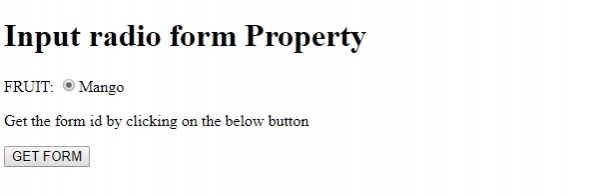
单击 GET FORM 按钮后 -
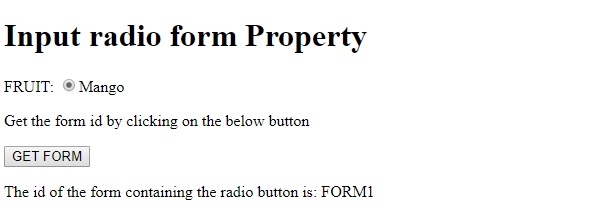
在上面的示例中 -
我们首先在 type=”radio”、name=”fruits”、id=”Mango” 的 form 中创建了一个输入元素。该 form 的 id 属性值设置为 ”FORM1” -
<form id=”FORM1”>
FRUIT:
<input type="radio" name="fruits" id="Mango">Mango
</form>
然后我们创建了一个按钮 GET FORM,当用户单击它时,该按钮将执行 formId() 方法 -
<button type="button" onclick="formId()">GET FORM</button>
formId() 方法使用 getElementById() 方法获取 type=radio 的输入字段,获取包含单选按钮的 form 对象的 id 属性。然后它将此值分配给变量 P,并使用其 innerHTML 属性将其显示在 id“Sample”的段落中 -
function formId() {
   var P=document.getElementById("Mango").form.id;
   document.getElementById("Sample").innerHTML = "The id of the form containing the password field is: "+P ;
}

更新时间:21-Aug-2019
88 次浏览

广告