
 数据结构
数据结构 网络
网络 RDBMS
RDBMS 操作系统
操作系统 Java
Java MS Excel
 iOS
iOS HTML
HTML CSS
CSS Android
 Python
 C 编程
C 编程 C++
C++ C#
C# MongoDB
 MySQL
MySQL Javascript
 PHP
PHP 物理学
物理学 化学
化学 生物学
生物学 数学
数学 英语
英语 经济学
经济学 心理学
心理学 社会学
社会学 时尚研究
时尚研究 法律研究
法律研究HTML DOM 的 readyState 属性
DOM readyState 属性可返回当前 HTML 文档的加载状态。
语法
以下为语法 −
document.readyState
示例
我们来看看 readyState 属性的一个示例 −
<!DOCTYPE html>
<html>
<head>
<style>
   html{
      height:100%;
   }
   body{
      text-align:center;
      color:#fff;
      background: #ff7f5094;
      height:100%;
   }
   p{
      font-weight:700;
      font-size:1.2rem;
   }
   .btn{
      background:#0197F6;
      border:none;
      height:2rem;
      border-radius:2px;
      width:35%;
      margin:2rem auto;
      display:block;
      color:#fff;
      outline:none;
      cursor:pointer;
   }
   .show{
      font-size:1.5rem;
   }
</style>
</head>
<body>
<h1>DOM readyState Property Demo</h1>
<p>Is current document ready?</p>
<button onclick="showStatus()" class="btn">Check Status</button>
<div class="show"></div>
<script>
   function showStatus() {
      document.querySelector(".show").innerHTML="Yes, your current document's loading is " + "" + document.readyState +".";
   }
</script>
</body>
</html>
输出
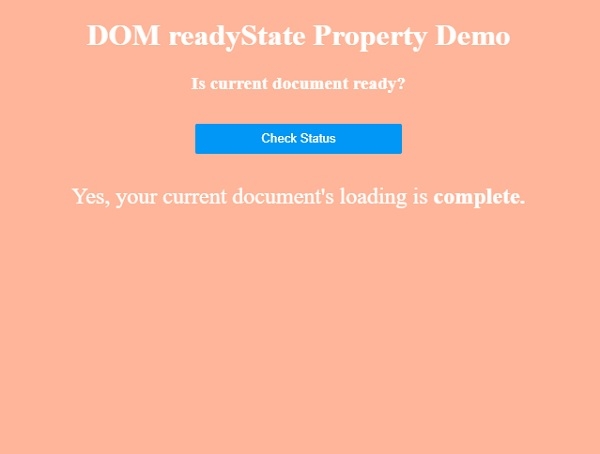
这将产生以下输出 −

点击“检查状态”按钮,即可检查当前 HTML 文档的加载状态。−

更新时间: 2019-07-30
118 次浏览

广告