
 数据结构
数据结构 网络
网络 RDBMS
RDBMS 操作系统
操作系统 Java
Java MS Excel
 iOS
iOS HTML
HTML CSS
CSS Android
 Python
 C 编程
C 编程 C++
C++ C#
C# MongoDB
 MySQL
MySQL Javascript
 PHP
PHP 物理
物理 化学
化学 生物
生物 数学
数学 英语
英语 经济学
经济学 心理学
心理学 社会研究
社会研究 时尚研究
时尚研究 法律研究
法律研究HTML Window length 属性
HTML Window length 属性返回当前 HTML 文档中 <iframe> 元素的数量。
语法
语法如下 −
window.length
让我们看一个 HTML Window length 属性的示例 −
示例
<!DOCTYPE html>
<html>
<style>
   body {
      color: #000;
      height: 100vh;
      background-color: #8BC6EC;
      background-image: linear-gradient(135deg, #8BC6EC 0%, #9599E2 100%);
      text-align: center;
   }
   .btn {
      background: #db133a;
      border: none;
      height: 2rem;
      border-radius: 2px;
      width: 40%;
      display: block;
      color: #fff;
      outline: none;
      cursor: pointer;
      margin: 1rem auto;
   }
</style>
<body>
<h1>HTML Window length Property</h1>
<iframe src="https://tutorialspoint.com/"></iframe>
<button onclick="display()" class="btn">Show the number of iframe</button>
<div class="show"></div>
<script>
   function display() {
      document.querySelector('.show').innerHTML = 'Number of iframe is: ' + window.length;
   }
</script>
</body>
</html>
输出
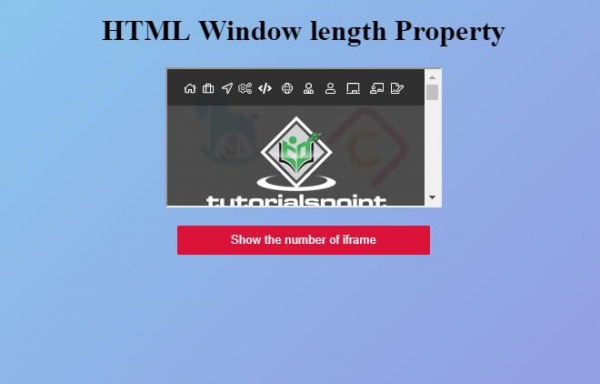
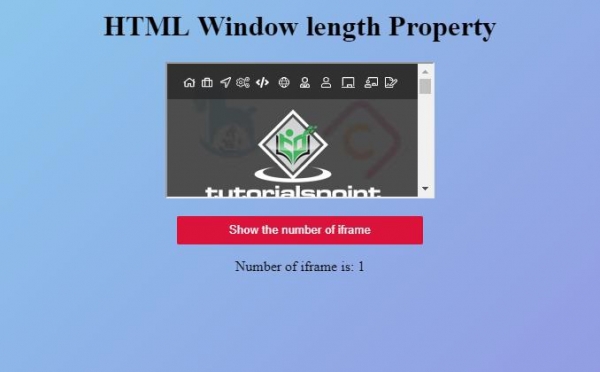
点击“显示 iframe 的数量”按钮以显示 HTML 文档中 iframe 的数量 −

更新于: 2019 年 10 月 1 日
125 次浏览

广告