
 数据结构
数据结构 网络
网络 RDBMS
RDBMS 操作系统
操作系统 Java
Java MS Excel
 iOS
iOS HTML
HTML CSS
CSS Android
 Python
 C 编程
C 编程 C++
C++ C#
C# MongoDB
 MySQL
MySQL Javascript
 PHP
PHP 物理学
物理学 化学
化学 生物学
生物学 数学
数学 英语
英语 经济学
经济学 心理学
心理学 社会研究
社会研究 时尚研究
时尚研究 法律研究
法律研究JavaScript 中栈实现
以下是 JavaScript 中实现栈的代码 −
示例
<!DOCTYPE html>
<html lang="en">
<head>
<meta charset="UTF-8" />
<meta name="viewport" content="width=device-width, initial-scale=1.0" />
<title>Document</title>
<style>
   body {
      font-family: "Segoe UI", Tahoma, Geneva, Verdana, sans-serif;
   }
   .result {
      font-size: 18px;
      font-weight: 500;
      color: blueviolet;
   }
   button {
      padding: 6px;
      margin: 4px;
   }
</style>
</head>
<body>
<h1>Implementation of Stack in JavaScript.</h1>
<div class="result"></div>
<br />
<input type="text" class="stackPush" /><button class="pushBtn">Push</button>
<button class="popBtn">Pop</button>
<button class="Btn">Display</button>
<h3>Click on the above buttons to perform stack operations</h3>
<script>
   let resEle = document.querySelector(".result");
   let BtnEle = document.querySelector(".Btn");
   let pushBtnEle = document.querySelector(".pushBtn");
   let popBtnEle = document.querySelector(".popBtn");
   class Stack {
      constructor() {
         this.items = [];
         this.top = 0;
      }
   }
   Stack.prototype.push = function (ele) {
      this.items[this.top] = ele;
      this.top += 1;
   };
   Stack.prototype.pop = function () {
      if (this.top === 0) {
         return "Underflow: no more elements to delete";
      }
      tempNum = this.items[this.top - 1];
      this.items.length -= 1;
      return tempNum;
   };
   Stack.prototype.display = function () {
      if (this.top == 0) {
         return "Stack is empty";
      }
      for (let i = 0; i < this.top; i++) {
         resEle.innerHTML += this.items[i] + " , ";
      }
   };
   let stack1 = new Stack();
   BtnEle.addEventListener("click", () => {
      resEle.innerHTML = "";
      stack1.display();
   });
   pushBtnEle.addEventListener("click", () => {
      let ele = document.querySelector(".stackPush").value;
      resEle.innerHTML = ele + " is pushed to the stack";
      stack1.push(ele);
   });
   popBtnEle.addEventListener("click", () => {
      resEle.innerHTML = stack1.pop() + " is popped from the stack";
   });
</script>
</body>
</html>
输出
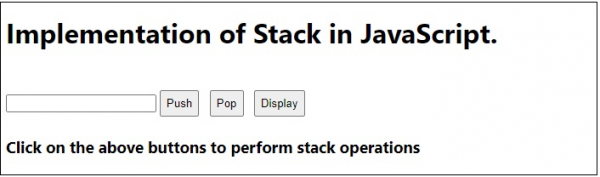
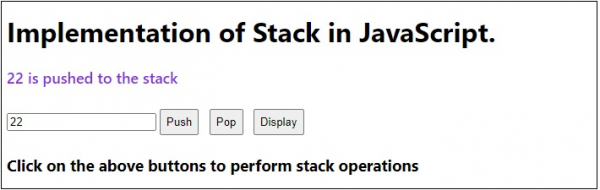
在字段中输入数字并单击“Push”时 −
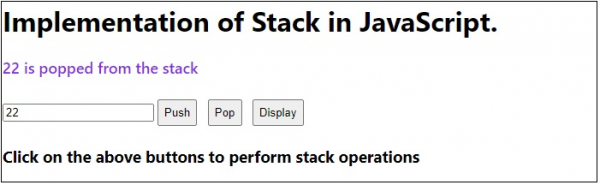
单击“Pop”按钮时 −
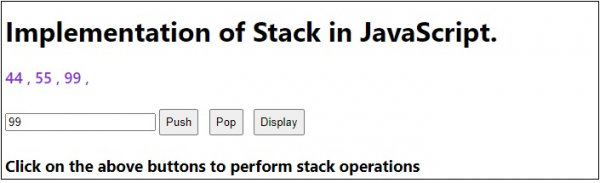
当栈不为空时单击“显示”按钮 −

更新时间:2020 年 7 月 20 日
392 次浏览

广告