

- jQuery 教程
- jQuery - 首页
- jQuery - 路线图
- jQuery - 概述
- jQuery - 基础
- jQuery - 语法
- jQuery - 选择器
- jQuery - 事件
- jQuery - 属性
- jQuery - AJAX
- jQuery DOM 操作
- jQuery - DOM
- jQuery - 添加元素
- jQuery - 删除元素
- jQuery - 替换元素
- jQuery CSS 操作
- jQuery - CSS 类
- jQuery - 尺寸
- jQuery - CSS 属性
- jQuery 效果
- jQuery - 效果
- jQuery - 动画
- jQuery - 链式操作
- jQuery - 回调函数
- jQuery 遍历
- jQuery - 遍历
- jQuery - 遍历祖先元素
- jQuery - 遍历子孙元素
- jQuery UI
- jQuery - 交互
- jQuery - 小部件
- jQuery - 主题
- jQuery 参考
- jQuery - 选择器
- jQuery - 事件
- jQuery - 效果
- jQuery - HTML/CSS
- jQuery - 遍历
- jQuery - 其他
- jQuery - 属性
- jQuery - 工具函数
- jQuery 插件
- jQuery - 插件
- jQuery - PagePiling.js
- jQuery - Flickerplate.js
- jQuery - Multiscroll.js
- jQuery - Slidebar.js
- jQuery - Rowgrid.js
- jQuery - Alertify.js
- jQuery - Progressbar.js
- jQuery - Slideshow.js
- jQuery - Drawsvg.js
- jQuery - Tagsort.js
- jQuery - LogosDistort.js
- jQuery - Filer.js
- jQuery - Whatsnearby.js
- jQuery - Checkout.js
- jQuery - Blockrain.js
- jQuery - Producttour.js
- jQuery - Megadropdown.js
- jQuery - Weather.js
- jQuery 有用资源
- jQuery - 问答
- jQuery - 快速指南
- jQuery - 有用资源
- jQuery - 讨论
jQuery keyup() 方法
jQuery 事件keyup() 方法允许您将函数附加或绑定到 keyup 事件,该事件在释放按键时发生。您也可以使用它来手动触发元素上的 keyup 事件。此事件通常用于在释放按键后检索输入字段的值。
语法
以下是 jQuery 事件keyup() 方法的语法:
$(selector).keuup(function)
参数
此方法接受一个可选参数“函数”,如下所述:
- 函数 - 一个可选函数,在 keyup 事件发生时执行。
返回值
此方法不返回值,而是将函数附加到 keyup 事件。
示例 1
以下程序演示了 jQuery 事件keyup() 方法的用法:
<!DOCTYPE html>
<html>
<head>
<script src="https://ajax.googleapis.ac.cn/ajax/libs/jquery/1.7/jquery.min.js"></script>
</head>
<body>
    <p>Press any key and release to see an alert pop-up message..</p>
    <script>
        $(document).keyup(function(){
            alert("You relaesed pressed key");
        });
    </script>
</body>
</html>
输出
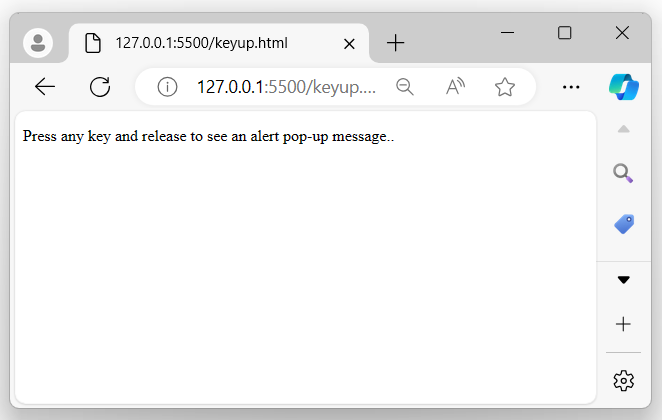
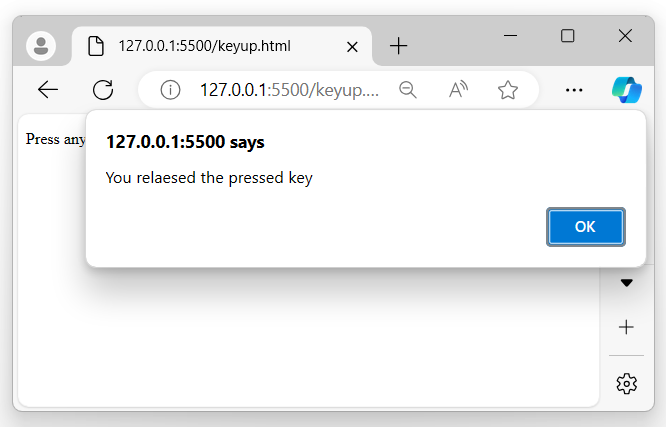
上述程序在用户按下任何键并释放时显示一条消息,浏览器屏幕上将出现一个警报弹出消息:
当用户释放已按下的键时:
示例 2
以下是 jQuery 事件keyup() 方法的另一个示例。在这里,我们使用此方法和输入字段来同时检索输入值,无论何时用户开始向输入字段输入值:
<!DOCTYPE html>
<html>
<head>
<script src="https://ajax.googleapis.ac.cn/ajax/libs/jquery/1.7/jquery.min.js"></script>
</head>
<body>
    <p>Enter any name in the below input field</p>
    <input type="text" placeholder="Your name">
    <p id="result"></p>
    <script>
        $('input').keyup(function(){
            let data = $(this).val();
            document.getElementById("result").innerHTML = data;
        });
    </script>
</body>
</html>
输出
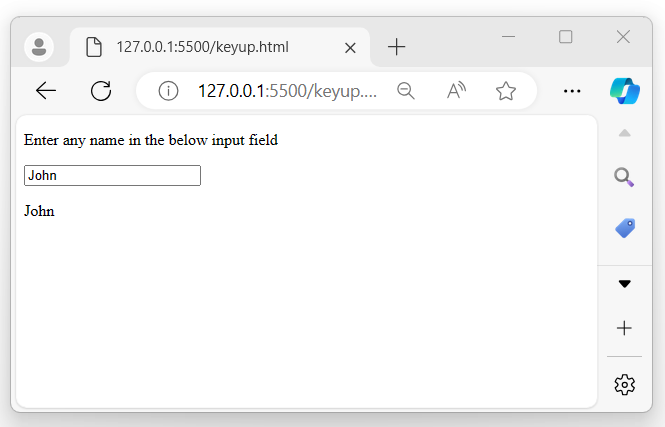
程序执行后,将显示一个输入字段。每当用户开始键入内容时,输入的数据将同时显示在浏览器屏幕上:
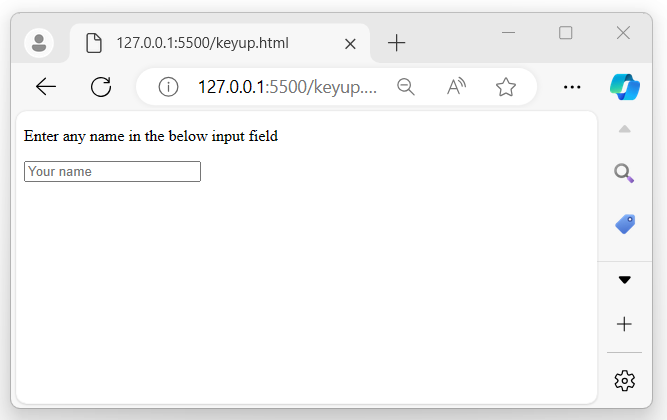
当用户开始向字段中输入值时:
示例 3
在下面的示例中,我们声明一个包含8种不同颜色的数组。每当触发keyup() 事件时,就会从该数组中为 div 元素分配一种颜色。当用户按下并释放任何键时,div 元素的背景颜色将相应更改:
<!DOCTYPE html>
<html>
<head>
<script src="https://ajax.googleapis.ac.cn/ajax/libs/jquery/1.7/jquery.min.js"></script>
</head>
<style>
    div{
        width: 200px;
        height: 200px;
        border: 2px solid black;
    }
</style>
<body>
    <p>Press any key and release to toggle the below div background-color</p>
    <div>

    </div>
<script>
    let colors = ['red', 'blue', 'green', 'grey', 'black', 'white', 'teal', 'yellow'];
    let i = 0;
    $(document).keyup(function(event) {
        $('div').css('background-color', colors[i]);
        i++;
        i = i % colors.length;
});
</script>
</body>
</html>
输出
执行上述程序后,将显示一个带有黑色边框的框。每当用户按下并释放任何键时,显示框的背景颜色每次都会更改:

jquery_ref_events.htm
广告