
- Polymer 教程
- Polymer - 主页
- Polymer - 概览
- Polymer - 安装
- Polymer - 元素
- Polymer - 自定义元素
- Polymer - 影子 DOM 和样式
- Polymer - 事件
- Polymer - 数据系统
- Polymer 有用资源
- Polymer - 快速指南
- Polymer - 有用资源
- Polymer - 讨论
Polymer - Google 会话按钮
Google Hangout 是 Google Web 组件的一个元素,它可以让用户在不同的设备上与他人聊天。
您可以在应用程序中使用此元素,方法是在项目目录中运行以下命令来安装它。
bower install --save GoogleWebComponents/google-hangout-button
示例
以下示例指定了在 Polymer.js 中使用 google-hangout 按钮元素。创建一个 index.html 文件并在其中添加以下代码。
<!doctype html>
<html>
   <head>
      <title>Polymer Example</title>
      <script src="bower_components/webcomponentsjs/webcomponents-lite.js"></script>
      <link rel = "import" href = "bower_components/polymer/polymer.html">
      <link rel = "import" href = "bower_components/paper-styles/demo-pages.html">
      <link rel = "import"
         href = "bower_components/google-hangout-button/google-hangout-button.html">
      <link rel = "import"
         href = "bower_components/iron-flex-layout/classes/iron-flex-layout.html">

      <style>
         section {
            max-width: 300px;
         }
         section > div {
            padding: 5px;
         }
      </style>
   </head>

   <body>
      <section>
         <div class = "layout horizontal center">
            <span class = "flex">Default button</span>
            <span class = "flex"><google-hangout-button></google-hangout-button></span>
         </div>

         <div class = "layout horizontal center">
            <span class = "flex">Narrow button</span>
            <span class = "flex">
               <google-hangout-button width = "70"></google-hangout-button>
            </span>
         </div>
      </section>
   </body>
</html>
输出
运行应用程序,请导航到已创建的项目所在目录并运行以下命令。
polymer serve
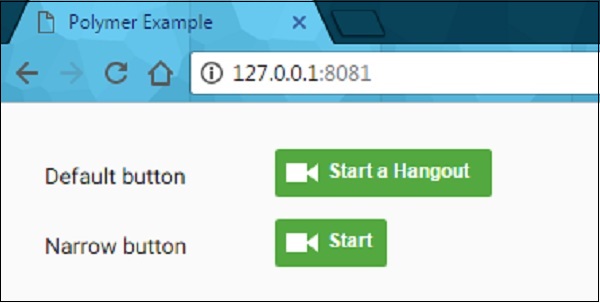
现在打开浏览器并导航到http://127.0.0.1:8081/。以下将是输出。
polymer_elements.htm
广告