
- Polymer 教程
- Polymer - 主页
- Polymer - 概览
- Polymer - 安装
- Polymer - 元素
- Polymer - 自定义元素
- Polymer - Shadow DOM 和样式
- Polymer - 事件
- Polymer - 数据系统
- Polymer 有用资源
- Polymer - 快速指南
- Polymer - 有用资源
- Polymer - 讨论
Polymer - Neon Elements
Neon-animation 通过使用 Web 动画,用于实现 Polymer 元素的动画过渡。
您可以在应用程序中使用 neon-animation,方法是在项目目录中运行以下命令进行安装。
bower install --save PolymerElements/neon-animation
此命令将在 bower_components 文件夹下安装 neon-animation 的所有相关元素。
示例
以下示例指定了在 Polymer.js 中使用 neon-animation。创建一个 index.html 文件,并添加以下代码。
<!doctype html>
<html>
   <head>
      <title>Polymer Example</title>
      <script src = "bower_components/webcomponentsjs/webcomponents-lite.js"></script>
      <link rel = "import" href = "bower_components/polymer/polymer.html">
      <link rel = "import" href = "bower_components/paper-styles/demo-pages.html">
      <link rel = "import" href = "bower_components/neon-animation/web-animations.html">
   </head>

   <body>
      <h2>Neon Example</h2>
      <a href = "bower_components/neon-animation/demo/declarative/index.html">Declarative</a>
      <br>
      <a href = "bower_components/neon-animation/demo/dropdown/index.html">Dropdown</a>
      <br>
      <a href = "bower_components/neon-animation/demo/grid/index.html">Grid</a>
      <br>
      <a href = "bower_components/neon-animation/demo/tiles/index.html">Tiles</a>
      <br>
      <a href = "bower_components/neon-animation/demo/card/index.html">Card</a>
   </body>
</html>
输出
要运行应用程序,请导航到创建的项目目录并运行以下命令。
polymer serve
现在,打开浏览器并导航到 http://127.0.0.1:8081/。结果如下。
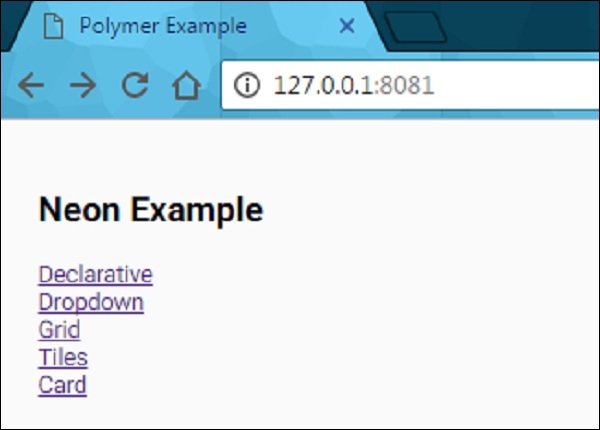
单击每个链接。您将看到不同类型的动画过渡,这些过渡是使用 Web 动画创建的。
polymer_elements.htm
广告