
 数据结构
数据结构 网络
网络 关系型数据库管理系统
 操作系统
操作系统 Java
Java MS Excel
 iOS
iOS HTML
HTML CSS
CSS Android
 Python
 C语言编程
C语言编程 C++
C++ C#
C# MongoDB
 MySQL
MySQL Javascript
 PHP
PHP 物理学
物理学 化学
化学 生物学
生物学 数学
数学 英语
英语 经济学
经济学 心理学
心理学 社会学
社会学 时尚研究
时尚研究 法律研究
法律研究PyTorch – torchvision.transforms – RandomGrayscale()
为了以一定概率随机将图像转换为灰度图像,我们应用**RandomGrayscale()**变换。它是**torchvision.transforms**模块提供的众多变换之一。此模块包含许多重要的变换,可用于对图像数据执行不同的操作。
**RandomGrayscale()**接受 PIL 和张量图像或一批张量图像。张量图像是一个形状为**[3, H, W]**的 PyTorch 张量,其中 H 是图像高度,W 是图像宽度。一批张量图像也是一个 torch 张量,形状为**[B, 3, H, W]**。**B**是批次中的图像数量。
语法
torchvision.transforms.RandomGrayscale(p)(img)
如果**p** = 1,则返回灰度图像。
如果**p** = 0,则返回原始图像。
如果**p**在(0,1)范围内,则返回灰度图像的概率为**p**。它以给定的概率 p 返回随机灰度图像。
步骤
我们可以使用以下步骤以给定的概率随机将图像转换为灰度图像:
导入所需的库。在以下所有示例中,所需的 Python 库为**torch、Pillow**和**torchvision**。确保您已安装它们。
import torch
import torchvision
import torchvision.transforms as T
from PIL import Image
读取输入图像。输入图像为 PIL 图像或 torch 张量。
img = Image.open('bargraph.png')定义一个变换,以给定的概率 p 将原始输入图像随机转换为灰度图像。
transform = T.RandomGrayscale(p = 0.25)
将上面定义的变换应用于输入图像以将其转换为灰度图像。
img = transform(img)
显示灰度图像。
img.show()
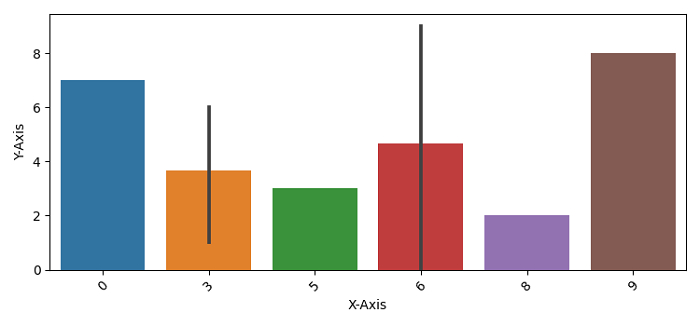
输入图像
此图像用作以下所有示例中的输入。
示例 1
在这个 Python3 程序中,我们使用 p = 1。它一定会将图像转换为灰度图像。
# import required libraries
import torch
import torchvision.transforms as T
from PIL import Image

# read the input image
img = Image.open('bargraph.png')

# define the transform to randomly convert the input image
# to grayscale with a probability
transform = T.RandomGrayscale(p=1)

# apply the above transform on input image
img = transform(img)
img.show()
输出
它将产生以下输出:
.jpg)
示例 2
在这个程序中,我们使用 p = 0.25%。这意味着,图像被转换为灰度图像的概率为 25%。
import torch
import torchvision.transforms as T
from PIL import Image
import matplotlib.pyplot as plt
img = Image.open('bargraph.png')
transform = T.RandomGrayscale(p=0.25)

imgs = [transform(img) for _ in range(4)]

fig = plt.figure(figsize=(7,3))
rows, cols = 2,2
for j in range(0, len(imgs)):
   fig.add_subplot(rows, cols, j+1)
   plt.imshow(imgs[j])
   plt.xticks([])
   plt.yticks([])
plt.show()
输出
它将产生以下输出:
.jpg)
请注意,在 4 个输出图像中,有一个图像为灰度图像。这是因为我们设置了 p = 0.25。

更新于: 2022年1月6日
423 次浏览

广告