
 数据结构
数据结构 网络
网络 关系数据库管理系统
 操作系统
操作系统 Java
Java MS Excel
 iOS
iOS HTML
HTML CSS
CSS Android
 Python
 C 语言编程
 C++
C++ C#
C# MongoDB
 MySQL
MySQL Javascript
 PHP
PHP 物理
物理 化学
化学 生物
生物 数学
数学 英语
英语 经济学
经济学 心理学
心理学 社会科学
社会科学 时尚学
时尚学 法律学
法律学在 Tkinter 中单击按钮时运行多条命令
Button 组件提供了一种通过所有现有应用程序功能进行通信的方法。借助 Button,我们可以执行某个操作,其中封装了函数和对象。但是,有时我们可能希望使用单个按钮执行多个操作。这可以通过定义 lambda 函数来实现,该 lambda 函数针对应用程序中的多个事件或回调。
示例
在此示例中,我们将向特定 Button 添加多个事件。
#Import the Tkinter Library
from tkinter import *

#Create an instance of Tkinter Frame
win = Tk()

#Set the geometry of window
win.geometry("700x350")

#Define functions
def display_msg():
   label.config(text="Top List of Programming Language")

def show_list():
   listbox= Listbox(win, height=10, width= 15, bg= 'grey', activestyle= 'dotbox',font='aerial')
   listbox.insert(1,"Go")
   listbox.insert(1,"Java")
   listbox.insert(1,"Python")
   listbox.insert(1,"C++")
   listbox.insert(1,"Ruby")
   listbox.pack()
   button.destroy()

#Create a Label widget to display the message
label= Label(win, text= "", font= ('aerial 18 bold'))
label.pack(pady= 20)

#Define a Button widget
button= Button(win, text= "Click Here",command= lambda:[display_msg(), show_list()])
button.pack()
win.mainloop()
输出
运行以上代码,将显示一个包含按钮的窗口。
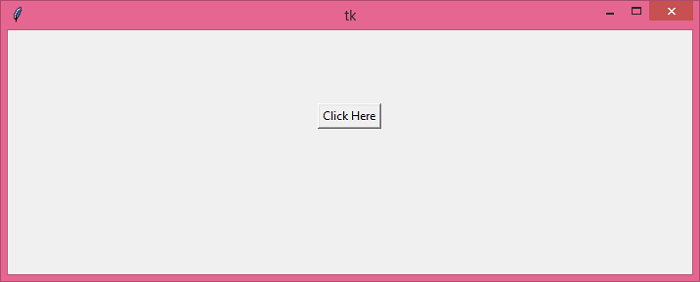
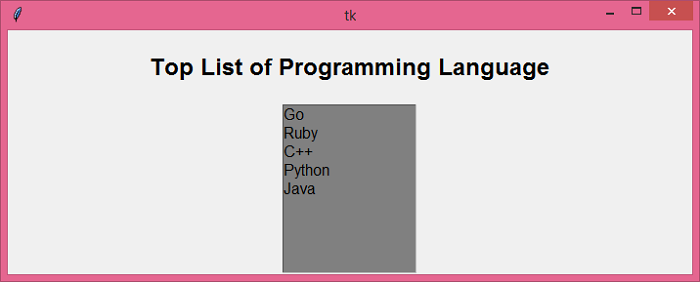
当我们单击 Button 时,它将并行执行两个任务。其中会包含一个 Label 组件和一个字符串列表的窗口。

更新于:2021-5-25
5000+ 次浏览

广告