
 数据结构
数据结构 网络
网络 RDBMS
RDBMS 操作系统
操作系统 Java
Java MS Excel
 iOS
iOS HTML
HTML CSS
CSS Android
 Python
 C 编程
C 编程 C++
C++ C#
C# MongoDB
 MySQL
MySQL Javascript
 PHP
PHP 物理
物理 化学
化学 生物
生物 数学
数学 英语
英语 经济学
经济学 心理学
心理学 社会研究
社会研究 时尚研究
时尚研究 法律研究
法律研究如何判断 Tkinter 中的按钮何时释放?
在 Tkinter 中,事件通常由按钮或键调用。每当用户按下分配的键或单击分配的按钮时,事件便会执行。为了执行事件,我们可以将按钮或键与回调函数绑定。
考虑一个应用程序,在其中我们需要在释放鼠标按钮时触发事件。这可以通过在 bind(<Button Release>, callback) 方法中传递 <Button Release> 参数来实现。
示例
# Import the required libraries
from tkinter import *

# Create an instance of tkinter frame or window
win=Tk()

# Set the size of the window
win.geometry("700x350")

# Define a function on mouse button clicked
def on_click(event):
   label["text"]="Hello, There!"

def on_release(event):
   label["text"]="Button Released!"

# Crate a Label widget
label=Label(win, text="Click anywhere..", font=('Calibri 18 bold'))
label.pack(pady=60)

win.bind("<ButtonPress-1>", on_click)
win.bind("<ButtonRelease-1>", on_release)

win.mainloop()
输出
如果我们运行以上代码,它将显示一个带有标签小部件的窗口。

现在,单击窗口中的任意位置以查看屏幕上的消息,该消息将在我们释放鼠标按钮时更新。
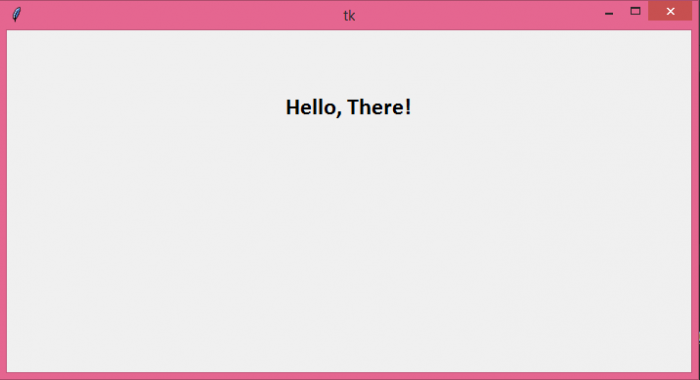
当您释放鼠标按钮时,它将显示以下消息 -
.PNG)

更新日期:05-Aug-2021
3K+ 视图

广告