
 数据结构
数据结构 网络
网络 RDBMS
RDBMS 操作系统
操作系统 Java
Java MS Excel
 iOS
iOS HTML
HTML CSS
CSS Android
 Python
 C 编程
C 编程 C++
C++ C#
C# MongoDB
 MySQL
MySQL Javascript
 PHP
PHP 物理学
物理学 化学
化学 生物学
生物学 数学
数学 英语
英语 经济学
经济学 心理学
心理学 社会学
社会学 时装学
时装学 法律学
法律学确定在 Tkinter 中按下了哪个按钮
按钮在需要用户交互的许多应用程序中非常有用。我们假设想了解在给定应用程序中按下了哪个按钮。为了获取有关按钮的信息,可以在按钮配置中使用回调函数。在回调函数中,我们将使用 print(test) 函数以打印所点击的按钮。
示例
#Import the required libraries
from tkinter import *
from tkinter import ttk

#Create an instance of Tkinter Frame
win = Tk()

#Set the geometry
win.geometry("700x250")

# Define function to get the information about the Button
def get_button(t):
   print(t)

#Create Button Object
b1= ttk.Button(win, text= "Button-1", command= lambda t= "Button-1 Clicked": get_button(t))
b1.place(relx= .46, rely= .5, anchor= CENTER)
b2= ttk.Button(win, text= "Button-2", command= lambda t= "Button-2 Clicked": get_button(t))
b2.place(relx= .58, rely= .5, anchor= CENTER)

win.mainloop()
输出
运行以上代码将显示一个带有两个按钮的窗口。
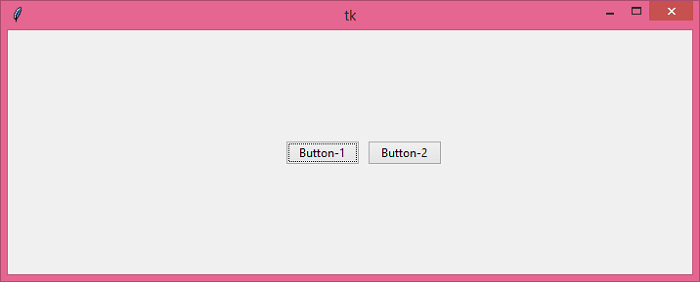
如果你点击“Button-1”,它将在控制台中打印以下内容。
Button-1 Clicked

更新时间:2021-05-25
5000+ 次浏览

广告