
 数据结构
数据结构 网络
网络 RDBMS
RDBMS 操作系统
操作系统 Java
Java MS Excel
 iOS
iOS HTML
HTML CSS
CSS Android
 Python
 C 编程
C 编程 C++
C++ C#
C# MongoDB
 MySQL
MySQL Javascript
 PHP
PHP 物理学
物理学 化学
化学 生物学
生物学 数学
数学 英语
英语 经济学
经济学 心理学
心理学 社会学
社会学 时尚
时尚 法律研究
法律研究JavaScript 中的严格相等 vs 宽松相等。
宽松相等运算符 ‘==’ 允许我们先将两个或更多操作数的值转换为一种常见类型,然后检查它们之间的相等性来进行比较。
严格相等运算符 ‘===’ 允许我们通过检查值和类型之间的相等性来比较两个或更多操作数。它仅在值和类型都与另一个操作数匹配时才返回 true。
以下是 JavaScript 中宽松相等与严格相等的代码−
示例
<!DOCTYPE html>
<html lang="en">
<head>
<meta charset="UTF-8" />
<meta name="viewport" content="width=device-width, initial-scale=1.0" />
<title>Document</title>
<style>
   body {
      font-family: "Segoe UI", Tahoma, Geneva, Verdana, sans-serif;
   }
   .result {
      font-size: 20px;
      font-weight: 500;
      color: blueviolet;
   }
</style>
</head>
<body>
<h1>Strict equality vs Loose equality</h1>
<div class="result"></div>
<br />
<button class="Btn">CLICK HERE</button>
<h3>Click on the above button see some comparisons using loose equality and strict equality</h3>
<script>
   let resEle = document.querySelector(".result");
   let BtnEle = document.querySelector(".Btn");
   BtnEle.addEventListener("click", () => {
      resEle.innerHTML = "According to loose equality <br>";
      if (1 == "1") {
         resEle.innerHTML += "1 is equal to '1'<br>";
      }
      if (undefined == null) {
         resEle.innerHTML += "undefined is equal to null <br>";
      }
      resEle.innerHTML += "<br>According to strict equality <br>";
      if (1 === "1") {
         resEle.innerHTML += "1 is equal to '1'<br>";
      } else {
         resEle.innerHTML += "1 is not equal to '1'<br>";
      }
      if (undefined === null) {
         resEle.innerHTML += "undefined is equal to null <br>";
      } else {
         resEle.innerHTML += "undefined is not equal to null <br>";
      }
   });
</script>
</body>
</html>
输出
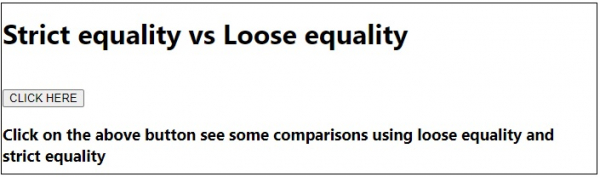
单击‘单击此处’按钮后 −


更新于: 20-Jul-2020
1K+ 浏览量

广告