
- Swing 编程示例
- 示例 - 主页
- 示例 - 环境设置
- 示例 - 边框
- 示例 - 按钮
- 示例 - 复选框
- 示例 - 组合框
- 示例 - 颜色选择器
- 示例 - 对话框
- 示例 - 编辑器窗格
- 示例 - 文件选择器
- 示例 - 格式化文本字段
- 示例 - 框架
- 示例 - 列表
- 示例 - 布局
- 示例 - 菜单
- 示例 - 密码字段
- 示例 - 进度条
- 示例 - 滚动窗格
- 示例 - 滑块
- 示例 - 微调器
- 示例 - 表格
- 示例 - 工具栏
- 示例 - 树
- Swing 有用资源
- Swing - 快速指南
- Swing - 有用资源
- Swing - 讨论
Swing 示例 - 响应窗口事件
以下示例展示了如何在基于 Swing 的应用程序中响应窗口事件。
当用户单击框架的关闭按钮时,我们可以使用以下选项。
DO_NOTHING_ON_CLOSE − 无操作。只需监听 windowClosing 事件以执行进一步的操作。
HIDE_ON_CLOSE − 这是 JFrame 和 JDialog 的默认行为,当单击关闭按钮时会隐藏。
DISPOSE_ON_CLOSE − 隐藏并关闭窗口并释放窗口使用的任何资源。
EXIT_ON_CLOSE − 使用 System.exit(0) 退出应用程序。
以下示例展示了 DO_NOTHING_ON_CLOSE 的用法。
示例
import java.awt.BorderLayout;
import java.awt.FlowLayout;
import java.awt.LayoutManager;
import java.awt.event.WindowEvent;
import java.awt.event.WindowListener;

import javax.swing.JFrame;
import javax.swing.JLabel;
import javax.swing.JPanel;

public class SwingTester {
   public static void main(String[] args) {
      createWindow();
   }

   private static void createWindow() {
      JFrame frame = new JFrame("Swing Tester");
      frame.setDefaultCloseOperation(JFrame.DO_NOTHING_ON_CLOSE);
      frame.addWindowListener(new WindowListener() {
         public void windowOpened(WindowEvent e) {}
         public void windowIconified(WindowEvent e) {}
         public void windowDeiconified(WindowEvent e) {}
         public void windowDeactivated(WindowEvent e) {}
         public void windowClosing(WindowEvent e) {
            System.exit(0);
         }
         public void windowClosed(WindowEvent e) {}
         public void windowActivated(WindowEvent e) {}
      });
      createUI(frame);
      frame.setSize(560, 200);
      frame.setLocationRelativeTo(null);
      frame.setVisible(true);
   }
   private static void createUI(JFrame frame){
      JPanel panel = new JPanel();
      LayoutManager layout = new FlowLayout();
      panel.setLayout(layout);
      panel.add(new JLabel("Hello World"));

      frame.getContentPane().add(panel, BorderLayout.CENTER);
   }
}
输出
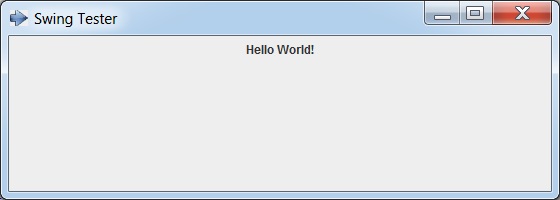
swingexamples_frames.htm
广告