
 数据结构
数据结构 网络
网络 关系型数据库管理系统
 操作系统
操作系统 Java
Java MS Excel
 iOS
iOS HTML
HTML CSS
CSS Android
 Python
 C 编程
C 编程 C++
C++ C#
C# MongoDB
 MySQL
MySQL Javascript
 PHP
PHP 物理
物理 化学
化学 生物
生物 数学
数学 英语
英语 经济
经济 心理学
心理学 社会研究
社会研究 时尚研究
时尚研究 法学研究
法学研究利用 OpenCV 函数 dilate()扩展图像
本程序使用 OpenCV 库中的扩展函数,扩展图像。扩展会在图像中的对象边界中添加像素,即图像的各个侧面都会扩展。
原始图像

算法
Step 1: Import cv2 and numpy.
Step 2: Read the image using opencv.imread().
Step 3: Define the kernel using np.ones() function.
Step 4: Pass the image and kernel to the dilate() function.
Step 5: Display the image
示例代码
import cv2
import numpy as np

image = cv2.imread('testimage.jpg')
kernel = np.ones((3,3), np.uint8)

image = cv2.dilate(image, kernel)
cv2.imshow('Dilated Image', image)
输出
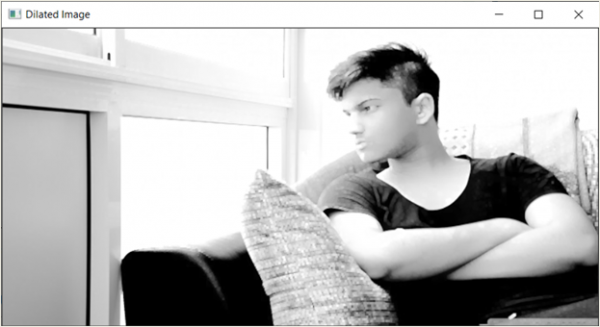
说明
正如你看到的,图像扩展了,即图像中的像素扩展了,所以图像看起来有些变形。

更新日期: 2021 年 3 月 17 日
400 次浏览

广告