
 数据结构
数据结构 网络
网络 RDBMS
RDBMS 操作系统
操作系统 Java
Java MS Excel
 iOS
iOS HTML
HTML CSS
CSS 安卓
安卓 Python
 C 编程
C 编程 C++
C++ C#
C# MongoDB
 MySQL
MySQL Javascript
 PHP
PHP 物理
物理 化学
化学 生物
生物 数学
数学 英语
英语 经济
经济 心理学
心理学 社会学
社会学 时装学
时装学 法律学
法律学如何创建 Tkinter GUI 停止按钮来打破无限循环?
Tkinter 是一个用于创建基于 GUI 的应用程序的 Python 库。假设我们要创建一个功能性的应用程序,其中一个特定函数在一个循环中定义。这个递归函数将会在一个 Label widget 中无限次地显示一些文本。
为了停止这个递归函数,我们可以定义一个函数,它会在每次单击一个按钮时更改条件。条件可以通过声明一个全局变量来更改,该变量可以是 True 或 False。
示例
# Import the required library
from tkinter import *

# Create an instance of tkinter frame
win= Tk()

# Set the size of the Tkinter window
win.geometry("700x350")

# Define a function to print something inside infinite loop
run= True

def print_hello():
   if run:
      Label(win, text="Hello World", font= ('Helvetica 10 bold')).pack()
   # After 1 sec call the print_hello() again
   win.after(1000, print_hello)
def start():
   global run
   run= True

def stop():
   global run
   run= False

# Create buttons to trigger the starting and ending of the loop
start= Button(win, text= "Start", command= start)
start.pack(padx= 10)
stop= Button(win, text= "Stop", command= stop)
stop.pack(padx= 15)

# Call the print_hello() function after 1 sec.
win.after(1000, print_hello)
win.mainloop()
输出
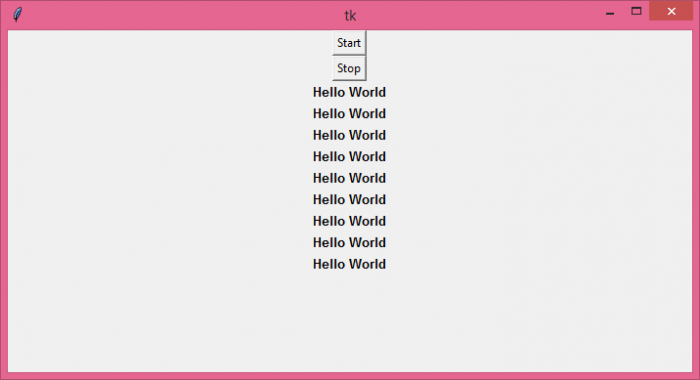
现在,每当我们单击“停止”按钮时,它将停止调用函数。

更新于:07-Jun-2021
1 千个以上浏览量

广告