
 数据结构
数据结构 网络
网络 关系数据库管理系统
 操作系统
操作系统 Java
Java MS Excel
 iOS
iOS HTML
HTML CSS
CSS Android
 Python
 C 编程
C 编程 C++
C++ C#
C# MongoDB
 MySQL
MySQL Javascript
 PHP
PHP 物理学
物理学 化学
化学 生物学
生物学 数学
数学 英语
英语 经济学
经济学 心理学
心理学 社会学
社会学 时装研究
时装研究 法律研究
法律研究如何清除 Tkinter 中的框架?
Tkinter 框架用于以美观的方式对过多的控件进行分组和组织。框架组件可以包含按钮控件、输入控件、标签、滚动条和其他控件。
如果我们想清空框架内容或删除框架内的所有控件,可以使用 destroy() 方法。此方法可以通过使用 winfo_children() 定位框架的子项来调用。
示例
#Import the required libraries
from tkinter import *

#Create an instance of tkinter frame
win= Tk()

#Set the geometry of frame
win.geometry("600x250")

#Create a frame
frame = Frame(win)
frame.pack(side="top", expand=True, fill="both")

#Create a text label
Label(frame,text="Enter the Password", font=('Helvetica',20)).pack(pady=20)

def clear_frame():
   for widgets in frame.winfo_children():
      widgets.destroy()

#Create a button to close the window
Button(frame, text="Clear", font=('Helvetica bold', 10), command=
clear_frame).pack(pady=20)

win.mainloop()
输出
运行以上代码将显示一个窗口,其中包含一个按钮“清除”,该按钮针对框架内的所有控件并将其清除。
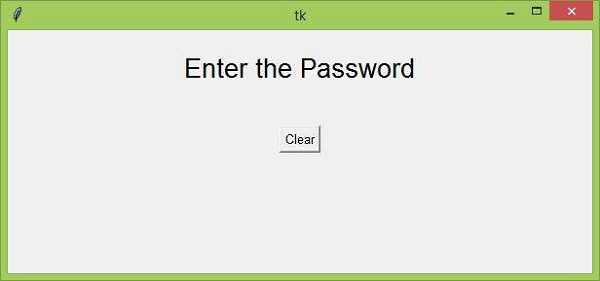
现在单击“清除”按钮,它将清除框架内的所有控件。

更新于:26-Mar-2021
23K+ 浏览量

广告