
 数据结构
数据结构 网络
网络 关系型数据库管理系统
 操作系统
操作系统 Java
Java MS Excel
 iOS
iOS HTML
HTML CSS
CSS Android
 Python
 C 编程
C 编程 C++
C++ C#
C# MongoDB
 MySQL
MySQL Javascript
 PHP
PHP 物理学
物理学 化学
化学 生物学
生物学 数学
数学 英语
英语 经济学
经济学 心理学
心理学 社会科学
社会科学 时装研究
时装研究 法律研究
法律研究如何在使用 CSS 为网站创建深色/浅色模式
通过更改页面的文本颜色和背景颜色,我们可以为我们的网站添加深色/浅色模式。
语法
可以使用以下语法来应用深色模式。
Selector {
   color: white;
   background-color: black
}
示例
<!DOCTYPE html>
<html>
   <head>
      <style>
         div {
            font-size: 1.4em;
            text-align: center;
         }
         .dark {
            color: white;
            background-color: black;
         }
      </style>
   </head>
   <body>
      <div>
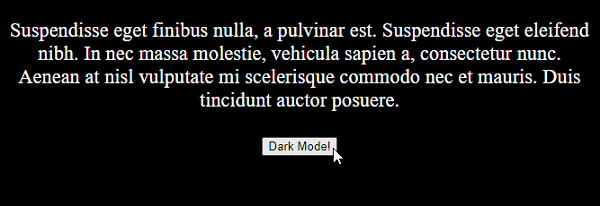
         <p>Suspendisse eget finibus nulla, a pulvinar est. Suspendisse eget eleifend nibh. In nec massa molestie, vehicula sapien a, consectetur nunc. Aenean at nisl vulputate mi scelerisque commodo nec et mauris. Duis tincidunt auctor posuere.</p>
         <button id="btn" onclick="change()">Normal Mode</button>
      </div>
      <script>
         let btnText = document.getElementById("btn");
         function change() {
            let btn = document.body;
            btn.classList.toggle("dark");
            if (btnText.innerHTML === "Normal Mode") {
               btnText.innerHTML = "Dark Mode!";
            } else {
               btnText.innerHTML = "Normal Mode";
            }}
      </script>
   </body>
</html>
本例输出如下
示例
<!DOCTYPE html>
<html>
   <head>
      <style>
         div {
            font-size: 1.4em;
            text-align: center;
         }
         .dark {
            color: white;
            background-color: black;
         }
      </style>
   </head>
   <body>
      <div>
         <button id="btn" onclick="change()">Normal Mode</button>
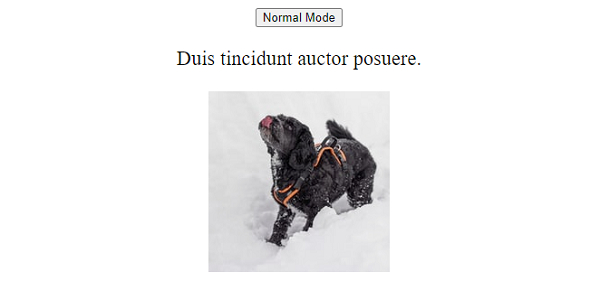
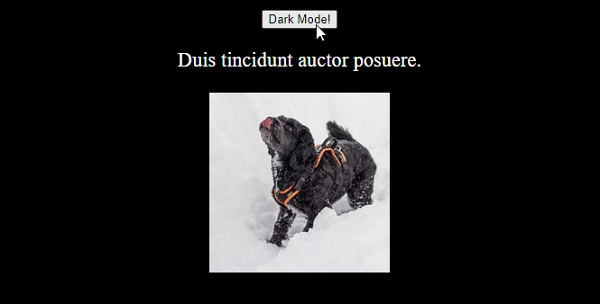
         <p>Duis tincidunt auctor posuere.</p>
         <img src="https://images.unsplash.com/photo-1610718055968-4e3cf23d96db?crop=entropy&cs=tinysrgb&fit=crop&fm=jpg&h=200&ixlib=rb-1.2.1&q=80&w=200" />
      </div>
      <script>
         let btnText = document.getElementById("btn");
         function change() {
            let btn = document.body;
               btn.classList.toggle("dark");
               if (btnText.innerHTML === "Normal Mode") {
                  btnText.innerHTML = "Dark Mode!";
               } else {
                  btnText.innerHTML = "Normal Mode";
            }}
      </script>
   </body>
</html>
本例输出如下

更新于: 2021 年 2 月 10 日
542 次浏览

广告