
 数据结构
数据结构 网络
网络 关系型数据库管理系统
 操作系统
操作系统 Java
Java MS Excel
 iOS
iOS HTML
HTML CSS
CSS Android
 Python
 C 编程
C 编程 C++
C++ C#
C# MongoDB
 MySQL
MySQL Javascript
 PHP
PHP 物理学
物理学 化学
化学 生物学
生物学 数学
数学 英语
英语 经济学
经济学 心理学
心理学 社会研究
社会研究 时尚研究
时尚研究 法律研究
法律研究如何使用 JavaFX 创建一条线段?
线段是连接在 XY 平面上的两点的几何结构。
在 JavaFX 中,线段由 javafx.scene.shape.Line 类表示。该类包含四个属性,它们是:-
startX − 此属性表示线段起点的 x 坐标,你可以使用 setStartX() 方法为其设置值。
startY − 此属性表示线段起点的 y 坐标,你可以使用 setStartY() 方法为其设置值。
endX − 此属性表示线段终点的 x 坐标,你可以使用 setEndX() 方法为其设置值。
endY − 此属性表示线段终点的 y 坐标,你可以使用 setEndY() 方法为其设置值。
若要创建圆形,你需要:-
实例化该类。
使用 setter 方法或将 setter 方法作为构造函数的参数来设置必需的属性。
将创建的节点(形状)添加到 Group 对象。
示例
import javafx.application.Application;
import javafx.scene.Group;
import javafx.scene.Scene;
import javafx.scene.paint.Color;
import javafx.stage.Stage;
import javafx.scene.shape.Line;
public class DrawingLine extends Application {
   public void start(Stage stage) {
      //Drawing a Line
      Line line1 = new Line();
      //Setting the properties of the circle
      line1.setStartX(200.0);
      line1.setStartY(50.0);
      line1.setEndX(200.0);
      line1.setEndY(250.0);
      //Setting other properties
      line1.setFill(Color.DARKCYAN);
      line1.setStrokeWidth(8.0);
      line1.setStroke(Color.DARKSLATEGREY);
      Line line2 = new Line();
      //Setting the properties of the circle
      line2.setStartX(75.0);
      line2.setStartY(150.0);
      line2.setEndX(450.0);
      line2.setEndY(150.0);
      //Setting other properties
      line2.setFill(Color.DARKCYAN);
      line2.setStrokeWidth(8.0);
      line2.setStroke(Color.BROWN);
      //Setting the Scene
      Group root = new Group(line1, line2);
      Scene scene = new Scene(root, 595, 300, Color.BEIGE);
      stage.setTitle("Drawing a Line");
      stage.setScene(scene);
      stage.show();
   }
   public static void main(String args[]){
      launch(args);
   }
}
输出
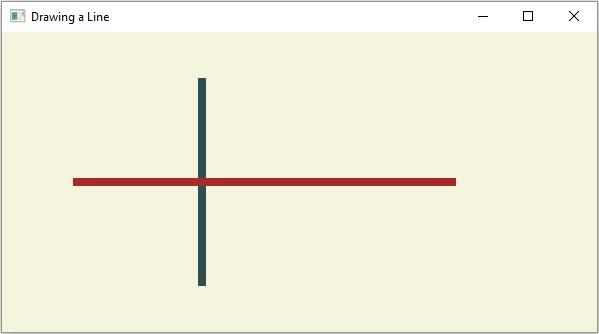

更新于:14-Apr-2020
171 次浏览

广告