
 数据结构
数据结构 网络
网络 关系型数据库管理系统
 操作系统
操作系统 Java
Java MS Excel
 iOS
iOS HTML
HTML CSS
CSS Android
 Python
 C 编程
C 编程 C++
C++ C#
C# MongoDB
 MySQL
MySQL Javascript
 PHP
PHP 物理
物理 化学
化学 生物
生物 数学
数学 英语
英语 经济学
经济学 心理学
心理学 社会学
社会学 时尚研究
时尚研究 法学研究
法学研究如何使用 JavaScript 创建动画?
使用 JavaScript 创建动画,代码如下 -
范例
<!DOCTYPE html>
<html>
<style>
   body{
      font-family: 'Segoe UI', Tahoma, Geneva, Verdana, sans-serif;
   }
   button{
      padding:10px;
      font-size: 18px;
      background-color: blue;
      color:white;
      border:none;
      margin-bottom:10px;
   }
   .Animation {
      width: 60px;
      height: 60px;
      position: absolute;
      background-color: rgb(134, 25, 207);
   }
</style>
<body>
<h1>Animation using JS example</h1>
<button onclick="startAnimation()">Start Animation</button>
<div class ="Animation"></div>
<script>
   function startAnimation() {
      var elem = document.querySelector(".Animation");
      var pos = 0;
      var id = setInterval(frame, 10);
      function frame() {
         if (pos == 450) {
            clearInterval(id);
         } else {
            pos++;
            elem.style.borderRadius = pos/14 + 'px';
            elem.style.left = pos + 'px';
         }
      }
   }
</script>
</body>
</html>
输出
以上代码将产生以下输出 -
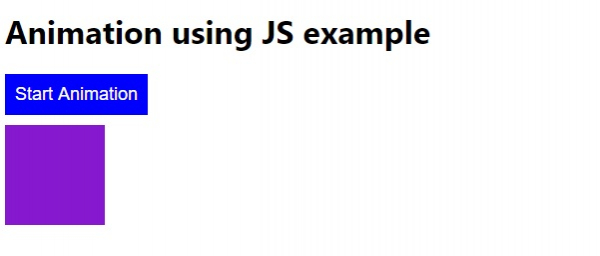
点击“启动动画”按钮 -


更新于:2020 年 5 月 12 日
224 次浏览

广告