
 数据结构
数据结构 网络
网络 RDBMS
RDBMS 操作系统
操作系统 Java
Java MS Excel
 iOS
iOS HTML
HTML CSS
CSS Android
 Python
 C 编程
C 编程 C++
C++ C#
C# MongoDB
 MySQL
MySQL Javascript
 PHP
PHP 物理学
物理学 化学
化学 生物学
生物学 数学
数学 英语
英语 经济学
经济学 心理学
心理学 社会科学
社会科学 时尚学习
时尚学习 法律研究
法律研究如何使用 Selenium 创建右键单击功能?
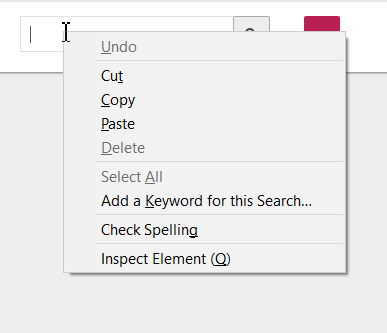
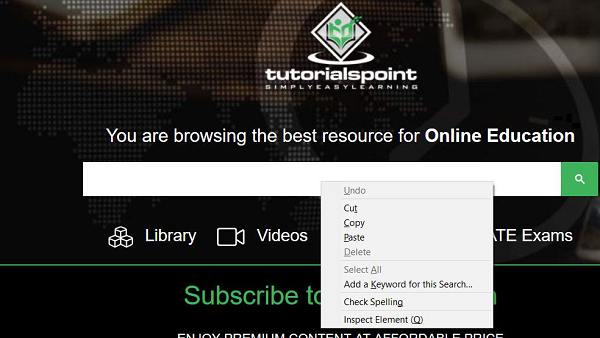
在网页上的任何元素上执行右键单击以显示其上下文菜单。例如,如果我们在编辑框上右键单击,就会显示一个包含多个选项的新菜单。
Selenium 使用 Actions 类执行右键单击操作。contextClick() 是 Actions 类中的一个方法,用于执行右键单击;在菜单打开后,我们可以通过自动化从菜单中选择一个选项。
首先,我们需要使用 moveToElement() 方法将鼠标移动到元素中间,然后执行右键单击。接下来,使用 build() 方法执行复合操作。最后,perform() 方法实际执行这些操作。
我们需要在代码中导入 org.openqa.selenium.interactions.Actions才能使用 Actions 类及其方法。
示例
代码实现。
import org.openqa.selenium.By;
import org.openqa.selenium.WebDriver;
import org.openqa.selenium.WebElement;
import org.openqa.selenium.chrome.ChromeDriver;
import java.util.concurrent.TimeUnit;
import org.openqa.selenium.interactions.Action;
import org.openqa.selenium.interactions.Actions;
public class RightClick{
   public static void main(String[] args) {
      System.setProperty("webdriver.chrome.driver", "C:\Users\ghs6kor\Desktop\Java\chromedriver.exe");
      WebDriver driver = new ChromeDriver();
      String url = "https://tutorialspoint.com/index.htm";
      driver.get(url);
      driver.manage().timeouts().implicitlyWait(5, TimeUnit.SECONDS);
      // identify element
      WebElement l=driver.findElement(By.id("gsc-i-id1"));
      // Actions class with moveToElement() and contextClick()
      Actions a = new Actions(driver);
      a.moveToElement(l).contextClick().build().perform();
      driver.quit();
   }
}
输出

更新于: 2020 年 8 月 28 日
2K+ 次查看

广告