
 数据结构
数据结构 网络
网络 RDBMS
RDBMS 操作系统
操作系统 Java
Java MS Excel
 iOS
iOS HTML
HTML CSS
CSS Android
 Python
 C 编程
C 编程 C++
C++ C#
C# MongoDB
 MySQL
MySQL Javascript
 PHP
PHP 物理学
物理学 化学
化学 生物学
生物学 数学
数学 英语
英语 经济学
经济学 心理学
心理学 社会学
社会学 时尚研究
时尚研究 法律研究
法律研究如何在 TypeScript 中绘制正多边形?
正多边形,例如正方形、三角形和六边形,是在各种应用和图形中使用的基本形状。以编程方式绘制正多边形在 TypeScript 中非常有用,允许您动态创建几何形状。在本教程中,我们将探讨如何通过利用基本的数学原理和 HTML5 canvas 元素在 TypeScript 中绘制正多边形。
语法
function drawRegularPolygon(ctx: CanvasRenderingContext2D, n: number, x: number, y: number, r: number): void {
   const angle = (Math.PI * 2) / n;
   ctx.beginPath();
   ctx.moveTo(x + r, y);
   for (let i = 1; i <= n; i++) {
      const vertexX = x + r * Math.cos(i * angle);
      const vertexY = y + r * Math.sin(i * angle);
      ctx.lineTo(vertexX, vertexY);
   }
   ctx.closePath();
   ctx.stroke();
}
我们定义了 drawRegularPolygon 函数,它接收一个 CanvasRenderingContext2D 对象 (ctx)、边数 (n)、中心点 (x, y) 和半径 (r)。我们通过将整个圆 (2π 弧度) 除以边数来计算每个顶点之间的角度。从第一个顶点开始,我们遍历其余顶点,使用三角函数 (Math.cos 和 Math.sin) 计算它们的坐标。最后,我们使用 lineTo 方法连接顶点,使用 closePath 关闭路径,并使用 stroke 描绘多边形的轮廓。
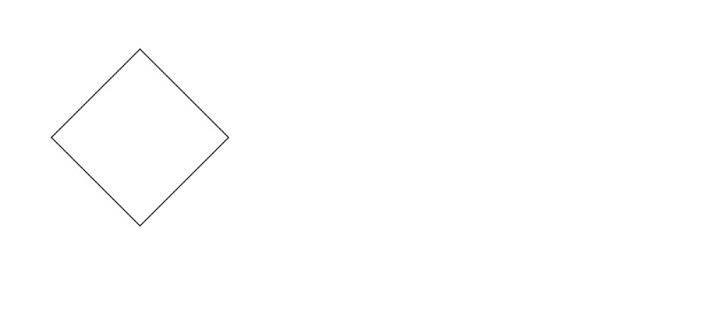
示例 1:绘制正方形
在第一个示例中,我们创建一个 HTML canvas 元素并获取其 2D 渲染上下文 (ctx)。然后,我们调用 drawRegularPolygon 函数,传入渲染上下文、边数 (正方形为 4)、中心点 (150, 150) 和半径 (100)。drawRegularPolygon 函数计算每个顶点的坐标并使用直线连接它们,从而在画布上绘制出一个正方形。
Index.html
<html>
   <body>
      <canvas id="myCanvas" width="400" height="300"></canvas>
   </body>
   <script src="index.ts"></script>
</html>
Index.ts
function drawRegularPolygon(ctx: CanvasRenderingContext2D, n: number, x: number, y: number, r: number): void {
   const angle = (Math.PI * 2) / n; // Calculate the angle between each vertex
   ctx.beginPath();
   ctx.moveTo(x + r, y); // Move the starting point to the first vertex
   for (let i = 1; i <= n; i++) {
      const vertexX = x + r * Math.cos(i * angle); // Calculate the x-coordinate of the current vertex
      const vertexY = y + r * Math.sin(i * angle); // Calculate the y-coordinate of the current vertex
      ctx.lineTo(vertexX, vertexY); // Connect the current vertex to the previous vertex
  }
   ctx.closePath();
   ctx.stroke(); // Draw the polygon outline
}
const canvas = document.getElementById('myCanvas') as HTMLCanvasElement;
const ctx = canvas.getContext('2d');
drawRegularPolygon(ctx, 4, 150, 150, 100);
输出
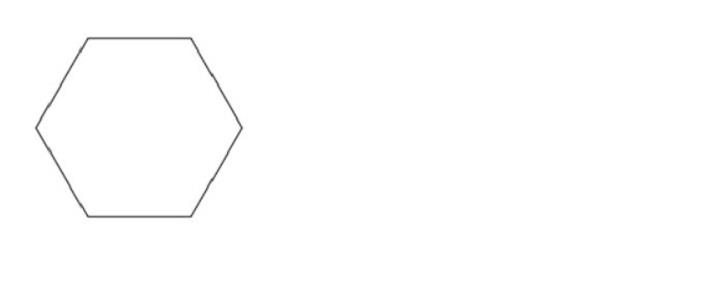
示例 2:绘制六边形
在第二个示例中,我们使用相同的画布和渲染上下文。这次,我们调用 drawRegularPolygon 函数,将边数设置为 6 以绘制六边形,中心点位于 (200, 200),半径为 80 像素。
Index.html
<html>
   <body>
      <canvas id="myCanvas" width="400" height="300"></canvas>
   </body>
   <script src="index.ts"></script>
</html>
Index.ts
function drawRegularPolygon(ctx: CanvasRenderingContext2D, n: number, x: number, y: number, r: number): void {
   const angle = (Math.PI * 2) / n; // Calculate the angle between each vertex
   ctx.beginPath();
   ctx.moveTo(x + r, y); // Move the starting point to the first vertex
   for (let i = 1; i <= n; i++) {
      const vertexX = x + r * Math.cos(i * angle); // Calculate the x-coordinate of the current vertex
      const vertexY = y + r * Math.sin(i * angle); // Calculate the y-coordinate of the current vertex
      ctx.lineTo(vertexX, vertexY); // Connect the current vertex to the previous vertex
   }
   ctx.closePath();
   ctx.stroke(); // Draw the polygon outline
}
const canvas = document.getElementById('myCanvas') as HTMLCanvasElement;
const ctx = canvas.getContext('2d');
drawRegularPolygon(ctx, 6, 100, 100, 80);
输出
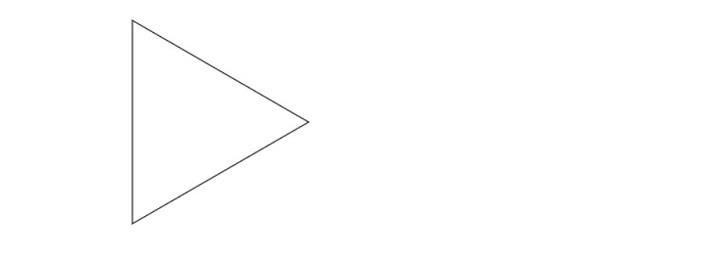
示例 3:绘制等边三角形
在此示例中,我们将边数指定为 3 以创建等边三角形。中心点设置为 (250, 250),半径设置为 120 像素。drawRegularPolygon 函数计算每个顶点的坐标并连接它们,从而在画布上绘制出一个三角形。
Index.html
<html>
   <body>
      <canvas id="myCanvas" width="400" height="300"></canvas>
   </body>
   <script src="index.ts"></script>
</html>
Index.ts
function drawRegularPolygon(ctx: CanvasRenderingContext2D, n: number, x: number, y: number, r: number): void {
   const angle = (Math.PI * 2) / n; // Calculate the angle between each vertex
   ctx.beginPath();
   ctx.moveTo(x + r, y); // Move the starting point to the first vertex
   for (let i = 1; i <= n; i++) {
      const vertexX = x + r * Math.cos(i * angle); // Calculate the x-coordinate of the current vertex
      const vertexY = y + r * Math.sin(i * angle); // Calculate the y-coordinate of the current vertex
      ctx.lineTo(vertexX, vertexY); // Connect the current vertex to the previous vertex
   }
   ctx.closePath();
   ctx.stroke(); // Draw the polygon outline
}
const canvas = document.getElementById('myCanvas') as HTMLCanvasElement;
const ctx = canvas.getContext('2d');
drawRegularPolygon(ctx, 3, 200, 120, 120);
输出
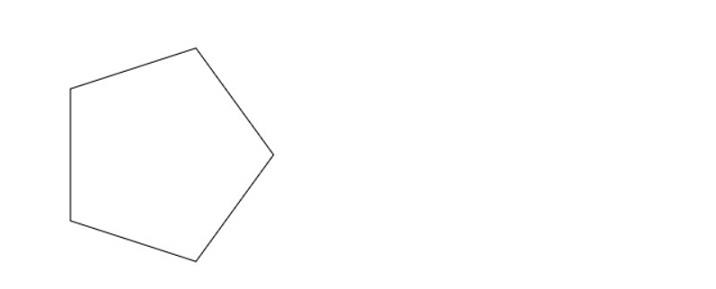
示例 4:绘制五边形
在此示例中,我们将边数指定为 5 以创建正五边形。中心点设置为 (300, 300),半径设置为 100 像素。
Index.html
<html>
   <body>
      <canvas id="myCanvas" width="400" height="300"></canvas>
   </body>
   <script src="index.ts"></script>
</html>
Index.ts
function drawRegularPolygon(ctx: CanvasRenderingContext2D, n: number, x: number, y: number, r: number): void {
   const angle = (Math.PI * 2) / n; // Calculate the angle between each vertex
   ctx.beginPath();
   ctx.moveTo(x + r, y); // Move the starting point to the first vertex
   for (let i = 1; i <= n; i++) {
      const vertexX = x + r * Math.cos(i * angle); // Calculate the x-coordinate of the current vertex
      const vertexY = y + r * Math.sin(i * angle); // Calculate the y-coordinate of the current vertex
      ctx.lineTo(vertexX, vertexY); // Connect the current vertex to the previous vertex
   }
   ctx.closePath();
   ctx.stroke(); // Draw the polygon outline
}
const canvas = document.getElementById('myCanvas') as HTMLCanvasElement;
const ctx = canvas.getContext('2d');
drawRegularPolygon(ctx, 5, 150, 150, 100);
输出
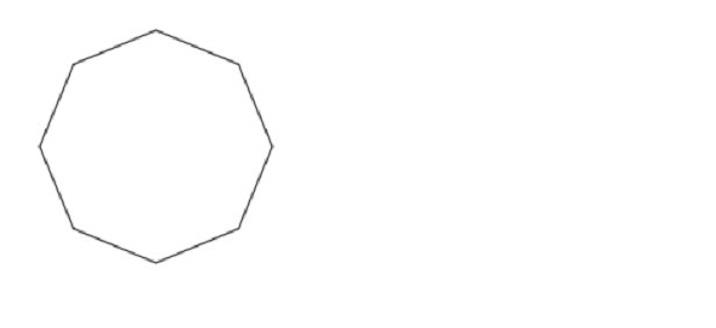
示例 5:绘制八边形
在此示例中,我们将边数指定为 8 以创建八边形。中心点设置为 (400, 400),半径设置为 80 像素。drawRegularPolygon 函数计算每个顶点的坐标并连接它们,从而在画布上绘制出一个八边形。
Index.html
<html>
   <body>
      <canvas id="myCanvas" width="400" height="300"></canvas>
   </body>
   <script src="index.ts"></script>
</html>
Index.ts
function drawRegularPolygon(ctx: CanvasRenderingContext2D, n: number, x: number, y: number, r: number): void {
   const angle = (Math.PI * 2) / n; // Calculate the angle between each vertex
   ctx.beginPath();
   ctx.moveTo(x + r, y); // Move the starting point to the first vertex
   for (let i = 1; i <= n; i++) {
      const vertexX = x + r * Math.cos(i * angle); // Calculate the x-coordinate of the current vertex
      const vertexY = y + r * Math.sin(i * angle); // Calculate the y-coordinate of the current vertex
      ctx.lineTo(vertexX, vertexY); // Connect the current vertex to the previous vertex
   }
   ctx.closePath();
   ctx.stroke(); // Draw the polygon outline
}
const canvas = document.getElementById('myCanvas') as HTMLCanvasElement;
const ctx = canvas.getContext('2d');
drawRegularPolygon(ctx, 8, 100, 100, 80);
输出
结论
通过计算正多边形顶点的坐标并使用直线或路径连接它们,可以在 TypeScript 中以编程方式绘制正多边形。在本教程中,我们介绍了绘制正多边形的基本概念,并提供了使用 TypeScript 的清晰示例。您现在可以应用这些知识来创建具有不同边数和尺寸的各种正多边形。

376 次浏览
