
 数据结构
数据结构 网络
网络 关系数据库管理系统
 操作系统
操作系统 Java
Java MS Excel
 iOS
iOS HTML
HTML CSS
CSS Android
 Python
 C 编程
C 编程 C++
C++ C#
C# MongoDB
 MySQL
MySQL Javascript
 PHP
PHP 物理
物理 化学
化学 生物
生物 数学
数学 英语
英语 经济学
经济学 心理学
心理学 社会学
社会学 时尚研究
时尚研究 法律研究
法律研究如何在 iOS 中以固定的时间间隔重复执行任务
Apple 预定义了 Timer 类,该类在经过一定时间间隔后触发,向目标对象发送指定的消息。
要了解更多关于 Timer 类的信息,您可以查看 Apple 官方文档:
https://developer.apple.com/documentation/foundation/timer
为了以固定的时间间隔重复执行任务,我们将使用 Timer 类。我们将开发一个示例应用程序,该应用程序每 5 秒打印一次“hello Tutorials Point”。
让我们开始吧!
步骤 1 − 打开 Xcode → 新建项目 → 单视图应用程序 → 命名为“HelloTutotrialsPoint”
步骤 2 − 打开 ViewController.swift 并在 ViewDidLoad() 下方编写一个方法 doSomething()。将下面的代码复制粘贴到您的 doSomething 方法中。
private func doSomething() {
   let timer = Timer.scheduledTimer(timeInterval: 5.0, target: self,
      selector: #selector(ViewController.hello), userInfo: nil, repeats: true)
}
步骤 3:实现/创建 hello(选择器),如下所示,并在 ViewDidLoad() 中调用 doSomething()。
@objc func hello() {
   print("hello")
}
您的最终代码应如下所示
import UIKit
class ViewController: UIViewController, UITextFieldDelegate {
   override func viewDidLoad() {
      super.viewDidLoad()
      // Do any additional setup after loading the view, typically from a nib.
      self.doSomething()
   }
   private func doSomething() {
      let timer = Timer.scheduledTimer(timeInterval: 5.0, target: self,
      selector: #selector(ViewController.hello), userInfo: nil, repeats: true)
   }
   @objc func hello() {
      print("hello")
   }
}
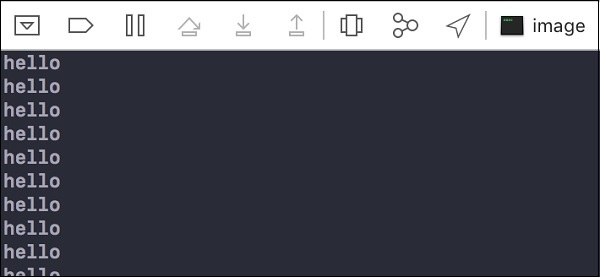
完成!运行您的应用程序并在控制台中查看输出,您将看到“hello”在 5 秒的时间间隔后打印。

更新于: 2019年7月30日
240 次查看

广告