
 数据结构
数据结构 网络
网络 RDBMS
RDBMS 操作系统
操作系统 Java
Java MS Excel
 iOS
iOS HTML
HTML CSS
CSS Android
 Python
 C 编程
C 编程 C++
C++ C#
C# MongoDB
 MySQL
MySQL Javascript
 PHP
PHP 物理
物理 化学
化学 生物
生物 数学
数学 英语
英语 经济
经济 心理学
心理学 社会研究
社会研究 时装研究
时装研究 法律研究
法律研究如何为 Tkinter 文件对话框提供焦点?
Tkinter Python 库可以用来创建有功能有特色的应用程序。它有许多用于不同功能的包和函数。Tkinter 中的 filedialog 包提供与本地计算机中的文件系统进行交互的访问权限。使用 filedialog,我们可以从系统获取任何文件,并用它来执行 CRUD 操作。
为了给文件对话框提供焦点,我们可以有一个与该对话框关联的父窗口。如果主窗口在顶部全局定义,则关联的小工具将自动在其他小工具顶部获得焦点。
示例
在此示例中,我们创建了一个按钮,该按钮将打开一个对话框,以便从本地系统中选择文件。
# Import the tkinter library
from tkinter import *
from tkinter import filedialog
from PIL import Image, ImageTk

# Create an instance of tkinter frame
win = Tk()

# Set the size of the Tkinter window
win.geometry("700x350")

# Set the title of the window
win.title("File Explorer")

# Define the function to open the file dialog
def open_file():
   win.filename = filedialog.askopenfilename(title="Select the file", filetypes=(("jpg files", "*.jpg"), ("all files", "*.*")))]

# Create a Button widget
b1 = Button(win, text="Open", command=open_file)
b1.place(relx=.5, rely=.5, anchor=CENTER)
win.mainloop()
输出
运行上述代码会显示一个带有按钮的窗口。
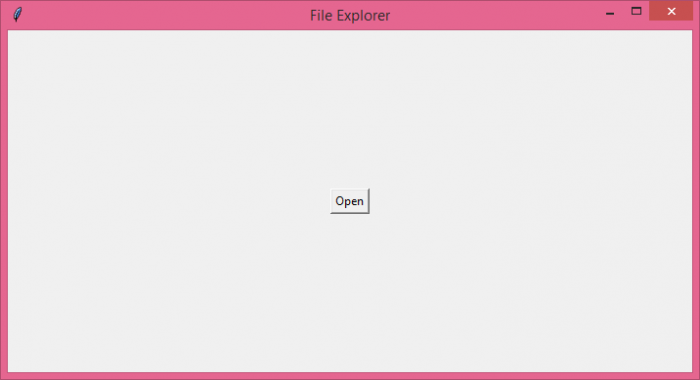
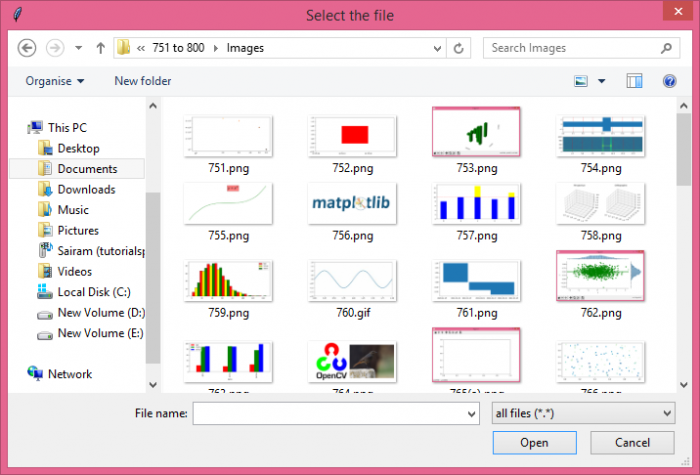
单击按钮后,它将显示一个对话框,用户可以在其中从本地系统选择一个文件。

更新于: 07-06-2021
809 次浏览

广告