
 数据结构
数据结构 网络
网络 RDBMS
RDBMS 操作系统
操作系统 Java
Java MS Excel
 iOS
iOS HTML
HTML CSS
CSS Android
 Python
 C 编程
C 编程 C++
C++ C#
C# MongoDB
 MySQL
MySQL Javascript
 PHP
PHP 物理
物理 化学
化学 生物
生物 数学
数学 英语
英语 经济学
经济学 心理学
心理学 社会科学
社会科学 时尚研究
时尚研究 法学研究
法学研究如何使用 Java 在 OpenCV 中实现高斯模糊?
你可以使用低通滤波器对图像进行滤波以实现模糊效果,它从图像中去除了高频内容(噪声、边缘)。
高斯模糊是 OpenCV 提供的一种模糊技术,它在去除图像噪声方面非常高效。它用内核区域中所有像素的平均值替换中心元素。
你可以使用 GaussianBlur() 方法通过这种技术对图像进行滤波/模糊处理,此方法接受 -
两个表示源图像和目标图像的 Mat 对象。
一个表示内核大小的 Size 对象。
一个表示 X 方向上的高斯内核标准差的类型 double 的变量。
示例
import java.awt.Image;
import java.awt.image.BufferedImage;
import java.io.IOException;
import javafx.application.Application;
import javafx.embed.swing.SwingFXUtils;
import javafx.scene.Group;
import javafx.scene.Scene;
import javafx.scene.image.ImageView;
import javafx.scene.image.WritableImage;
import javafx.stage.Stage;
import org.opencv.core.Core;
import org.opencv.core.Mat;
import org.opencv.core.Size;
import org.opencv.highgui.HighGui;
import org.opencv.imgcodecs.Imgcodecs;
import org.opencv.imgproc.Imgproc;
public class GausianBlurExample extends Application {
   public void start(Stage stage) throws IOException {
      //Loading the OpenCV core library
      System.loadLibrary( Core.NATIVE_LIBRARY_NAME );
      String file ="D:\Images\elephant.jpg";
      Mat src = Imgcodecs.imread(file);
      //Creating destination matrix
      Mat dst = new Mat(src.rows(), src.cols(), src.type());
      //Applying GaussianBlur on the Image
      Imgproc.GaussianBlur(src, dst, new Size(15, 15), 0);
      //Converting matrix to JavaFX writable image
      Image img = HighGui.toBufferedImage(dst);
      WritableImage writableImage= SwingFXUtils.toFXImage((BufferedImage) img, null);
      //Setting the image view
      ImageView imageView = new ImageView(writableImage);
      imageView.setX(10);
      imageView.setY(10);
      imageView.setFitWidth(575);
      imageView.setPreserveRatio(true);
      //Setting the Scene object
      Group root = new Group(imageView);
      Scene scene = new Scene(root, 595, 400);
      stage.setTitle("Gaussian Blur Example");
      stage.setScene(scene);
      stage.show();
   }
   public static void main(String args[]) {
      launch(args);
   }
}
输入图像
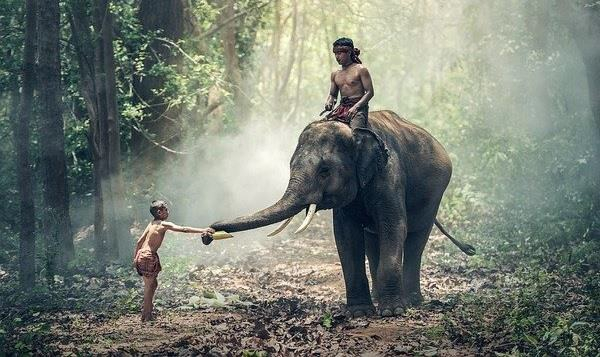
输出
执行以上程序会生成以下输出 -


更新时间: 2020-04-09
1K+ 浏览次数

广告