
 数据结构
数据结构 网络
网络 关系型数据库管理系统
 操作系统
操作系统 Java
Java MS Excel
 iOS
iOS HTML
HTML CSS
CSS Android
 Python
 C 编程
C 编程 C++
C++ C#
C# MongoDB
 MySQL
MySQL Javascript
 PHP
PHP 物理
物理 化学
化学 生物
生物 数学
数学 英语
英语 经济
经济 心理学
心理学 社会研究
社会研究 时尚研究
时尚研究 法律研究
法律研究如何用 JavaScript 创建一个全屏窗口?
要使用 JavaScript 创建全屏窗口,代码如下 −
示例
<!DOCTYPE html>
<html>
<head>
<meta name="viewport" content="width=device-width, initial-scale=1">
</head>
<style>
   body{
      font-family: 'Segoe UI', Tahoma, Geneva, Verdana, sans-serif;
   }
   button{
      display: block;
      padding:10px;
      margin:10px;
      background-color: rgb(81, 0, 128);
      border:none;
      color:white;
   }
</style>
<body>
<h1>Fullscreen Window with JavaScript Example</h1>
<button class="openVideo";">Open Video in Fullscreen Mode</button>
<video width="500px" controls id="minimizedVideo">
<source
src="https://www.videvo.net/videvo_files/converted/2015_04/preview/Ocean_Waves_slow_motion_videvo.mov44965.webm">
</video>
<h2>Click on the above button to open it in fullscreen</h2>
<script>
   document.querySelector('.openVideo').addEventListener('click',fullscreenVideo);
   var elem = document.getElementById("minimizedVideo");
   function fullscreenVideo() {
      if (elem.requestFullscreen) {
         elem.requestFullscreen();
      }
      else if (elem.mozRequestFullScreen) {
         elem.mozRequestFullScreen();
      }
      else if (elem.webkitRequestFullscreen) {
         elem.webkitRequestFullscreen();
      }
      else if (elem.msRequestFullscreen) {
         elem.msRequestFullscreen();
      }
   }
</script>
</body>
</html>
输出
以上代码将生成以下输出 −
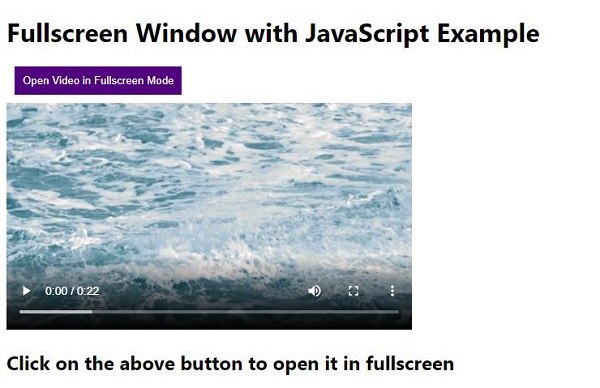
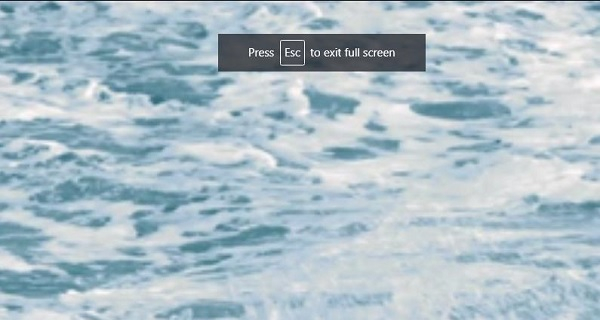
点击“以全屏模式打开视频”按钮 −

更新于: 2020-05-08
472 阅读

广告