
 数据结构
数据结构 网络
网络 关系型数据库管理系统
 操作系统
操作系统 Java
Java MS Excel
 iOS
iOS HTML
HTML CSS
CSS Android
 Python
 C 编程语言
 C++
C++ C#
C# MongoDB
 MySQL
MySQL Javascript
 PHP
PHP 物理学
物理学 化学
化学 生物学
生物学 数学
数学 英语
英语 经济学
经济学 心理学
心理学 社会学
社会学 时尚学
时尚学 法学
法学如何在 Windows 10 中强制 Tkinter 窗口始终处于全屏状态?
为了在 Tkinter 应用程序中呈现小部件,我们通常使用 mainloop() 函数,它可帮助在一个窗口中显示这些小部件。在很多情况下,tkinter 窗口都显示在其他窗口或程序之上。当切换到其他程序或窗口时,似乎很难找到并重新切换回 Tkinter 窗口。
我们可通过创建一个函数和在一个循环中定义win.lift() 方法来强制 Tkinter 窗口始终处于其他窗口或程序之上。在循环中,它将执行win.after(2000, function()) 函数,以确保 Tkinter 窗口始终处于其他窗口之上。
示例
# Import the required libraries
from tkinter import *
import lorem

# Create an instance of tkinter frame or window
win=Tk()

# Set the size of the window
win.geometry("700x350")

def stay_on_top():
   win.lift()
   win.after(2000, stay_on_top)

# Add a Label widget
Label(win, text="This window will always stay on Top", font=('Aerial 14')).pack(pady=30, anchor =CENTER)

# Call function to make the window stay on top
stay_on_top()

win.mainloop()
输出
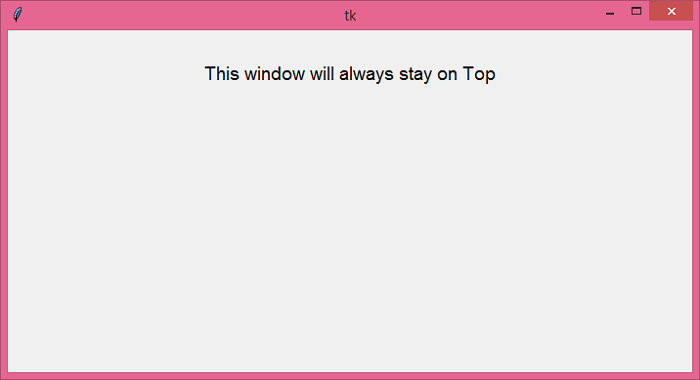
运行以上代码将显示一个窗口,它会自动停留在所有其他窗口之上。

更新日期:2021 年 6 月 18 日
5K+ 浏览

广告