
 数据结构
数据结构 网络
网络 关系数据库管理系统 (RDBMS)
 操作系统
操作系统 Java
Java MS Excel
 iOS
iOS HTML
HTML CSS
CSS Android
 Python
 C 编程
C 编程 C++
C++ C#
C# MongoDB
 MySQL
MySQL Javascript
 PHP
PHP 物理学
物理学 化学
化学 生物学
生物学 数学
数学 英语
英语 经济学
经济学 心理学
心理学 社会学
社会学 服装设计
服装设计 法律研究
法律研究如何在 JavaFX 中使文本加粗和斜体?
您可以使用 **setFont()** 方法将所需的字体设置到 JavaFX 中的文本节点。此方法接受 **javafx.scene.text.Font** 类的对象。
**Font** 类表示 JavaFX 中的字体,此类提供名为 **font()** 方法的几个变体,如下所示:
font(double size)
font(String family)
font(String family, double size)
font(String family, FontPosture posture, double size)
font(String family, FontWeight weight, double size)
font(String family, FontWeight weight, FontPosture posture, double size)
其中:
**size** (double) 表示字体的尺寸。
**family** (string) 表示要应用于文本的字体的族名。您可以使用 *getFamilies()* 方法获取已安装字体族的名称。
**weight** 表示字体的粗细(*FontWeight* 枚举的常量之一:BLACK,BOLD,EXTRA_BOLD,EXTRA_LIGHT,LIGHT,MEDIUM,NORMAL,SEMI_BOLD,THIN)。
**posture** 表示字体的样式(*FontPosture* 枚举的常量之一:REGULAR,ITALIC)。
要使文本加粗,请使用 **FontWeight.BOLD** 或 **FontWeight.EXTRA_BOLD** 作为参数 weight 的值;要使文本斜体,请使用 **FontPosture.ITALIC** 作为参数 posture 的值。
示例
import java.io.FileNotFoundException;
import javafx.application.Application;
import javafx.scene.Group;
import javafx.scene.Scene;
import javafx.scene.paint.Color;
import javafx.stage.Stage;
import javafx.scene.text.Font;
import javafx.scene.text.FontPosture;
import javafx.scene.text.FontWeight;
import javafx.scene.text.Text;
public class Bold_Italic extends Application {
   public void start(Stage stage) throws FileNotFoundException {
      //Creating a text object
      String str = "Welcome to Tutorialspoint";
      Text text = new Text(30.0, 80.0, str);
      //Setting the font bold and italic
      Font font = Font.font("Verdana", FontWeight.BOLD, FontPosture.ITALIC, 35);
      text.setFont(font);
      //Setting the color of the text
      text.setFill(Color.DARKCYAN);
      //Setting the stage
      Group root = new Group(text);
      Scene scene = new Scene(root, 595, 150, Color.BEIGE);
      stage.setTitle("Bold And Italic");
      stage.setScene(scene);
      stage.show();
   }
   public static void main(String args[]){
      launch(args);
   }
}
输出
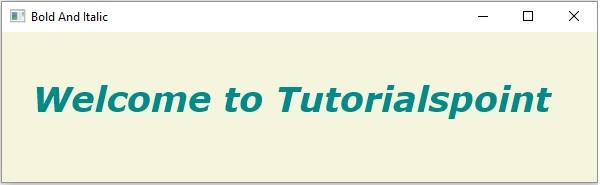

更新于:2020年5月16日
14K+ 浏览量

广告