
 数据结构
数据结构 网络
网络 关系型数据库管理系统
 操作系统
操作系统 Java
Java MS Excel
 iOS
iOS HTML
HTML CSS
CSS Android
 Python
 C 编程
C 编程 C++
C++ C#
C# MongoDB
 MySQL
MySQL Javascript
 PHP
PHP 物理
物理 化学
化学 生物
生物 数学
数学 英语
英语 经济学
经济学 心理学
心理学 社会学
社会学 时尚研究
时尚研究 法律研究
法律研究如何在 iOS 上运行时请求位置权限
要请求位置权限,我们将使用 Apple 的 CLLocationManager 类。您可以使用此类的实例来配置、启动和停止核心位置服务。
您可以在此处阅读有关 CLLocationManager 类的更多信息。
https://developer.apple.com/documentation/corelocation/cllocationmanager
iOS 应用可以支持两种级别的位置访问。
使用应用期间 - 应用可以在应用使用时访问设备的位置。这也被称为“使用时授权”。
始终 - 应用可以在应用使用时或后台访问设备的位置。
这里我们将使用使用时授权:仅在您的应用运行时请求使用位置服务的授权。
步骤 1 - 打开 Xcode,选择“单视图应用程序”,将其命名为 LocationServices。
步骤 2 - 打开 Main.storyboard 并添加一个按钮,将其命名为 getLocation。
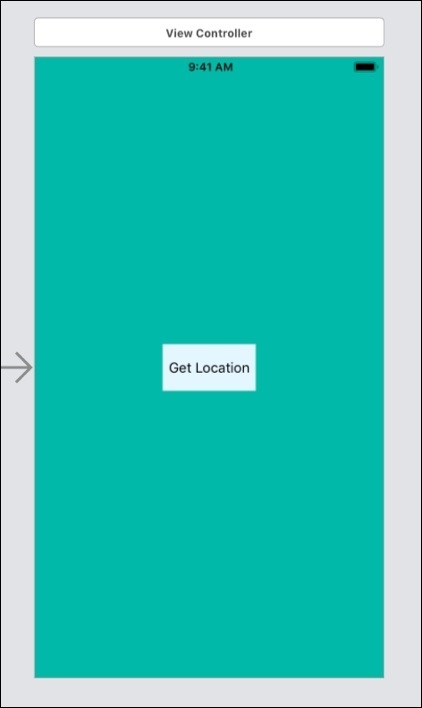
步骤 3 - 在 ViewController.swift 中添加按钮的 @IBAction。
@IBAction func btnGetLocation(_ sender: Any) {
}
步骤 4 - 导入 Corelocation 以使用位置类。 import CoreLocation
步骤 5 - 打开您的 info.plist(要在应用运行时启用位置更新权限,需要一个特殊的键)。右键单击并选择“添加行”。输入以下值。

步骤 6 打开 ViewController.swift 并创建 CLLocationManager 的对象,
let locationManager = CLLocationManager()
步骤 7 - 在 ViewController.swift 中,在按钮操作中添加以下代码,
@IBAction func btnGetLocation(_ sender: Any) {
   let locStatus = CLLocationManager.authorizationStatus()
   switch locStatus {
      case .notDetermined:
         locationManager.requestWhenInUseAuthorization()
      return
      case .denied, .restricted:
         let alert = UIAlertController(title: "Location Services are disabled", message: "Please enable Location Services in your Settings", preferredStyle: .alert)
         let okAction = UIAlertAction(title: "OK", style: .default, handler: nil)
         alert.addAction(okAction)
         present(alert, animated: true, completion: nil)
      return
      case .authorizedAlways, .authorizedWhenInUse:
      break
   }
}
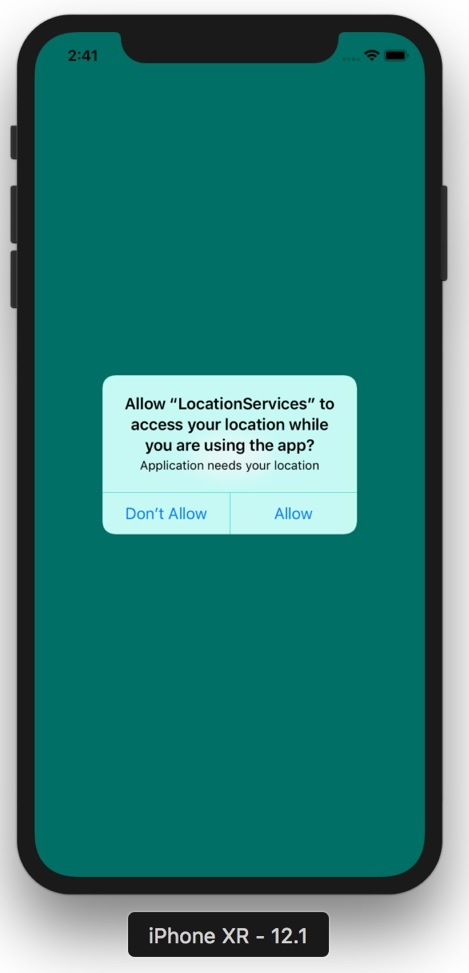
authorizationStatus 将当前授权状态返回到 locStatus。使用时授权在应用处于前台时获取位置更新。当位置服务被禁用时,用户将看到一条带有“位置服务已禁用”消息的警报。
让我们运行应用程序,

1K+ 次浏览
