
 数据结构
数据结构 网络
网络 关系数据库管理系统(RDBMS)
 操作系统
操作系统 Java
Java MS Excel
 iOS
iOS HTML
HTML CSS
CSS Android
 Python
 C语言编程
C语言编程 C++
C++ C#
C# MongoDB
 MySQL
MySQL Javascript
 PHP
PHP 物理学
物理学 化学
化学 生物学
生物学 数学
数学 英语
英语 经济学
经济学 心理学
心理学 社会学
社会学 服装学
服装学 法学
法学如何使用Protractor测试元素是否包含某个类?
我们将学习如何使用Protractor测试元素是否包含某个类。Protractor是一个用于Angular和AngularJS应用程序的端到端测试框架。Protractor基于WebDriverJS构建,WebDriverJS是WebDriver API的JavaScript实现,并支持Chrome、Firefox和Safari等多种浏览器。
测试元素是否包含特定类非常重要,因为它允许我们检查是否按预期将某种样式或行为应用于该元素。这在特定类的存在或不存在会触发某些样式或行为的场景中尤其有用。通过了解如何使用Protractor测试类的存在,我们可以编写更有效率的测试,以帮助确保Web应用程序的质量。
我们将通过两个不同的示例来演示如何使用Protractor测试元素是否包含某个类。
测试元素是否包含特定类
使用class属性测试产品是否售罄
测试元素是否包含特定类
我们可以使用Protractor检查元素的类属性是否包含某个字符串。
语法
用户可以按照以下语法使用Protractor来测试元素的类属性是否包含特定字符串。
/* Check that the 'class' attribute of the element contains a certain string */
expect(element(by.css('your css selector') )
.getAttribute('class'))
.toContain('your string');
如果类包含给定的字符串,则测试将通过;否则,测试将失败。
示例
在下面的示例中,我们创建了三个文件:conf.js、test.html和test.js。
conf.js文件位于conf文件夹中,tests文件夹包含test.html和test.js。
conf.js
此文件是Protractor的配置文件。它将浏览器功能设置为Chrome,指定Jasmine框架,并指定测试脚本文件的位置。它还设置默认超时间隔和测试的基本URL。onPrepare函数用于设置浏览器的重置URL。
exports.config = {
   directConnect: true,

   // Capabilities to be passed to the webdriver instance.
   capabilities: {
      'browserName': 'chrome'
   },

   // Framework to use. Jasmine is recommended.
   framework: 'jasmine',

   /* Spec patterns are relative to the current working directory when protractor is called */
   specs: ['../tests/test.js'],

   // Options to be passed to Jasmine.
   jasmineNodeOpts: {
      defaultTimeoutInterval: 30000
   },

   // Define the baseUrl for the file
   baseUrl: "file://" + __dirname + "/",

   onPrepare: function () {
      browser.resetUrl = "file://" ;
   }
};
test.html
此文件包含一个id为“myDiv”的<div>元素。该<div>元素有两个类:“Web”和“page”。
<html>
<head>
</head>
<body>
   <h2>Test if an element has specific class </h2>
   <div id = "myDiv" class = "Web page"> </div>
</body>
</html>
test.js
此test.js文件测试网页上ID为'myDiv'的特定元素的class属性是否包含字符串'Web'。此外,它在加载网页之前禁用AngularJS同步,以确保可以正确测试页面上任何非Angular元素。
describe('Test Page', function() {
   it(' should contain string "Web" in class ', function() {

      // Disable AngularJS synchronization
      browser.waitForAngularEnabled(false);

      // Load the webpage
      browser.get('../tests/test.html');

      // Find the element with ID 'myDiv'
      let myDiv = element(by.id('myDiv'));

      /* Check that the 'class' attribute of the element contains the string 'Web' */
      expect(myDiv.getAttribute('class')).toContain('Web');
   });
});
运行配置文件的命令
protractor conf.js(file path)
输出
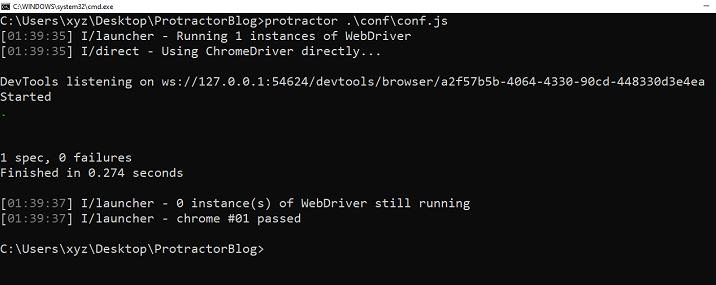
我们可以看到所有测试都通过了,没有错误。
使用class属性测试产品是否售罄
假设您有一个网页显示不同类型的产品,并且您想测试特定产品是否已标记为“售罄”,方法是检查其元素上是否具有“sold-out”类。您可以使用Protractor来自动执行此测试过程。
示例
这是一个使用Protractor测试具有特定data-id的产品元素是否具有sold-out类的示例。如果发现产品缺货,则测试通过;否则测试失败。
test.html
此HTML页面包含两种产品:芒果汁和橙汁。芒果汁产品的“缺货”span元素具有“sold-out”类,而橙汁产品有货,没有“sold-out”类。
<html>
<head>
   <meta charset = "UTF-8">
</head>
<body>
   <h2>Test if particular product has class sold-out</h2>
   <div class = "product" data-id = "123">
      <h3> Mango juice </h3>
      <p> It is made of fresh Mangoes </p>
      <span class = "price" > Rs. 20\- </span>
      <span class = "sold-out" > Out of stock </span>
   </div>
   <div class = "product" data-id = "45">
      <h3> Orange juice </h3>
      <p> It is made of fresh Oranges </p>
      <span class = "price" > Rs. 15\- </span>
   </div>
</body>
</html>
test.js
此测试文件测试具有特定ID的产品在缺货时是否具有'sold-out'类。它通过加载包含产品信息的网页,查找具有指定data ID的产品元素,等待其可见,等待1秒,查找产品元素内的'sold-out'类元素,然后检查其'class'属性是否包含字符串'sold-out'来实现。如果包含,则测试通过;如果不包含,则测试失败。
describe('Product page', function() {
   it('should display sold-out message for out of stock product' , function() {
      browser.waitForAngularEnabled(false);

      browser.get('../tests/hasClass2.html');

      // Find the product element with data-id="123"
      var product = element(by.css('.product[data-id="123"]'));

      // Wait for the product element to be visible
      browser.wait(ExpectedConditions.visibilityOf(product), 5000);

      // Wait for 1 second before checking for the class
      browser.sleep(1000);

      /* Find the element with class 'sold-out' inside the product element */
      product.element(by.className('sold-out')).getAttribute('class').then(function(className) {
         /* Check that the 'class' attribute of the element contains the string 'sold-out' */
         expect(className).toContain('sold-out');
      } );
   } );
} );
输出
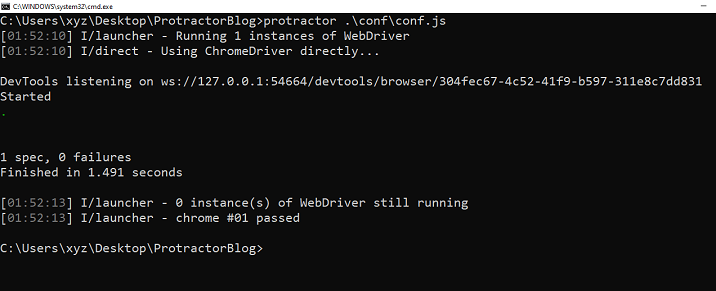
我们演示了两个使用Protractor测试元素是否包含类的示例。一个简单的示例,另一个示例显示了测试类是否存在如何有用。

482 次浏览
