
 数据结构
数据结构 网络
网络 关系型数据库管理系统
 操作系统
操作系统 Java
Java MS Excel
 iOS
iOS HTML
HTML CSS
CSS Android
 Python
 C 语言编程
 C++
C++ C#
C# MongoDB
 MySQL
MySQL Javascript
 PHP
PHP 物理学
物理学 化学
化学 生物学
生物学 数学
数学 英语
英语 经济学
经济学 心理学
心理学 社会学
社会学 服装设计
服装设计 法律研究
法律研究如何使用 Protractor 测试元素标签名称?
我们将学习如何使用 Protractor 来测试元素的标签名称。Protractor 是一个用于 Angular 和 AngularJS 应用程序的端到端测试框架。Protractor 基于 WebDriverJS 构建,WebDriverJS 是 WebDriver API 的 JavaScript 实现,并支持 Chrome、Firefox 和 Safari 等多种浏览器。它在开发者和测试人员中很受欢迎,因为它提供了一种简单有效的方法来测试 Angular 应用程序,而无需编写复杂的代码。
学习如何使用 Protractor 测试元素标签名称是 Web 应用程序自动化测试的关键方面。通过测试标签名称,我们可以确保页面上的元素构建正确并按预期工作。这有助于在开发过程的早期发现错误和缺陷,从而创建更健壮和可靠的 Web 应用程序。
我们将通过两个不同的示例来测试元素的标签名称,以便您可以清楚地理解该主题。
测试单个元素的标签名称
测试多个元素的标签名称
测试单个元素的标签名称
假设我们有一个 ID 为“btn”的按钮。我们可以使用 ID 查找该按钮,然后使用 Protractor 测试其标签名称。
语法
用户可以按照以下语法使用 Protractor 测试单个元素的标签名称。
expect(elementFinder.getTagName()).toEqual(expectedTagName);
这里 elementFinder 是 Protractor ElementFinder 对象,表示您要测试的 HTML 元素。而 expectedTagName 是一个字符串,表示 HTML 元素的预期标签名称。
示例
在下面的示例中,我们创建了 3 个文件 - conf.js、test.html 和 test.js。
我们在 conf 文件夹中有一个 conf.js 文件,tests 文件夹包含 test.html 和 test.js。
conf.js
此文件是 Protractor 的配置文件。它将浏览器功能设置为 Chrome,指定 Jasmine 框架,并指定测试脚本文件的位置。它还设置了默认超时间隔和测试的基本 URL。onPrepare 函数用于设置浏览器的重置 URL。
exports.config = {
   directConnect: true,

   // Capabilities to be passed to the webdriver instance.
   capabilities: {
      'browserName': 'chrome'
   },

   // Framework to use. Jasmine is recommended.
   framework: 'jasmine',

   /* Spec patterns are relative to the current working directory when protractor is called */
   specs: ['../tests/test.js'],

   // Options to be passed to Jasmine.
   jasmineNodeOpts: {
      defaultTimeoutInterval: 30000
   } ,
   // Define the baseUrl for the file
   baseUrl: "file://" + __dirname + "/",

   onPrepare: function () {
      browser.resetUrl = "file://";
   }
} ;
test.html
此 HTML 页面包含一个 ID 为“btn”的按钮元素。
<html>
<head>
</head>
<body>
   <h2>Test the tag name of single element</h2>
   <button id = "btn"> Click Me </button>
</body>
</html>
test.js
此 test.js 文件测试网页上元素的标签名称。beforeEach 禁用等待 Angular 渲染更新并加载我们的测试 HTML 文件。在 it 块中,选择 ID 为“btn”的元素,然后使用 getTagName() 方法检索所选元素的标签名称。expect() 函数用于将检索到的标签名称与预期值进行比较,在本例中为“button”。此测试验证 ID 为“btn”的元素的标签名称是否等于“button”。
describe('Testing the name of tag of an element', function() {
   beforeEach(function() {
      // Disable waiting for Angular render update
      browser.waitForAngularEnabled(false);

      // Load the web page
      browser.get('../tests/test.html');
   });
   it('should check the tag name of button element', function() {

      // Get the element by ID
      let buttonTag = element(by.id('btn') );

      // verify if the tag name is equal to 'button'
      expect(buttonTag.getTagName()).toEqual('button');
   });
});
运行配置文件的命令
protractor conf.js(file path)
输出
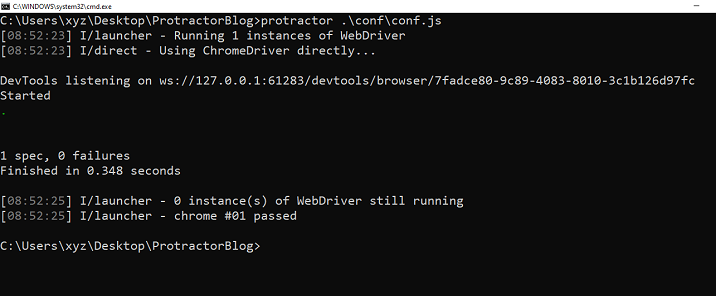
我们可以看到所有测试都通过了,没有错误。
测试多个元素的标签名称
假设我们有多个具有不同 ID 和相同类的 div 元素。然后,我们不需要使用 ID 为每个元素检查标签名称。我们可以简单地使用 Protractor 中的类检查多个元素的标签名称。
示例
这是一个使用 Protractor 测试标签名称的示例,其中有多个元素具有相同的标签。
test.html
此 HTML 页面包含三个 div 元素,它们具有唯一的 ID 和相同的“collection”类。
<html>
<head>
</head>
<body>
   <h2>Test the tag names of multiple elements</h2>
   <div id = 'firstDiv' class = "collection" >
      <p> It is first div element </p>
   </div>
   <div id = 'secondDiv' class = "collection" >
      <p> It is second div element </p>
   </div>
   <div id = 'thirdDiv' class = "collection" >
      <p> It is third div element </p>
   </div>
</body>
</html>
test.js
此 Protractor 测试文件测试网页中类名为“collection”的 div 元素的标签名称。它加载网页,使用“element.all”方法和 CSS 选择器查找所有类名为“collection”的 div 元素,然后使用“getTagName”方法和“expect”语句验证每个 div 元素的标签名称是否等于“div”。
describe('Testing tag names of elements', function() {
   beforeEach(function() {
      browser.waitForAngularEnabled(false);

      // Load the web page
      browser.get('../tests/test.html') ;
   });
   it('should check the tag names of all div elements', function() {

      // Find all div elements with class name 'collection'
      let divTags = element.all(by.css('.collection'));
      /* For each div element, verify that the tag name is 'div' */
      divTags.each(function(element) {
         expect(element.getTagName()).toEqual('div');
      } );
   } );
} );
输出
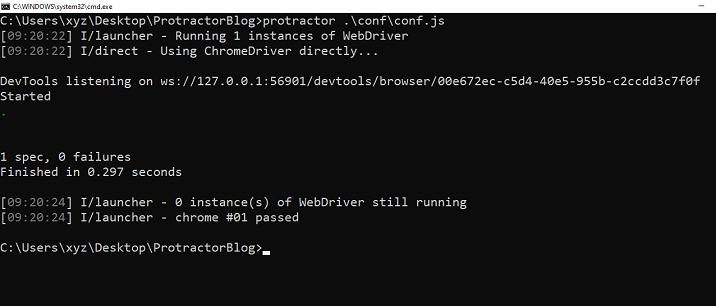
总之,通过使用 Protractor 测试元素的标签名称,我们可以轻松地捕获错误和缺陷,并检查网页是否构建正确并正常工作。通过提供的示例,我们可以了解如何使用 Protractor 测试单个和多个元素的标签名称,使其成为 Web 应用程序开发和测试中必不可少的工具。

283 次浏览
