
 数据结构
数据结构 网络
网络 关系数据库管理系统
 操作系统
操作系统 Java
Java 微软 Excel
 iOS
iOS HTML
HTML CSS
CSS Android
 Python
 C 编程
C 编程 C++
C++ C#
C# MongoDB
 MySQL
MySQL Javascript
 PHP
PHP 物理学
物理学 化学
化学 生物学
生物学 数学
数学 英语
英语 经济学
经济学 心理学
心理学 社会学
社会学 时尚研究
时尚研究 法律研究
法律研究我们如何在 HTML 表单中对数据进行分组?
我们使用 <fieldset> 标签在 HTML 表单中对相关数据进行分组。此标签在网页上的相关元素周围创建一个框。<legend> 标签用于在 <fieldset> 标签内为组提供标题或名称。
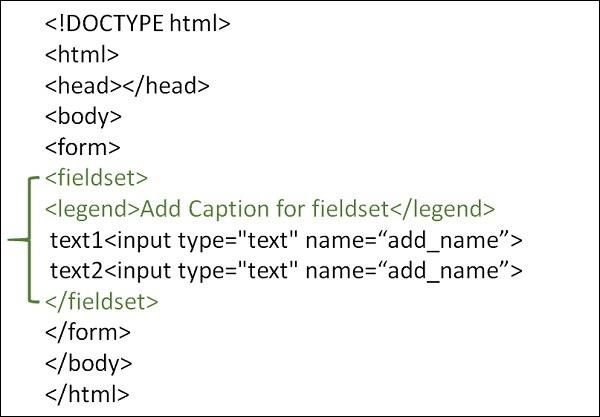
语法
<fieldse>…..</fieldset>
示例 1
以下是使用 <legend> 标签在 <fieldset> 标签内对 HTML 表单中的数据进行分组的示例 −
<!DOCTYPE html>
<html>
<head>
   <meta charset="UTF-8">
   <meta name="description" content="meta tag in the web document">
   <meta name="keywords" content="HTML,CSS">
   <meta name="author" content="lokesh">
   <meta name="viewport" content="width=device-width, initial-scale=1.0">
</head>
<body>
   <form>
      <fieldset>
         <legend>Employee Details</legend>
         Employee Name<br>
         <input type="text" name="Ename">
         <br>
         Employee ID<br>
         <input type="text" name="Eid">
         <br>
         Employee Address<br>
         <input type="text" name="Eid">
         <br>
      </fieldset>
   </form>
</body>
</html>
示例 2
你可以尝试运行以下代码在 HTML 表单中对数据进行分组 −
<!DOCTYPE html>
<html>
<body>
   <form>
      <fieldset>
         <legend>Student Information:</legend>
         Student Name:<br>
         <input type="text" name="sname">
         <br>
         Student Subject:<br>
         <input type="text" name="ssubject">
         <br>
      </fieldset>
   </form>
</body>
</html>

更新于:19-10-2022
4K+ 查看

广告