
 数据结构
数据结构 计算机网络
计算机网络 关系型数据库(RDBMS)
 操作系统
操作系统 Java 语言
 MS Excel
 iOS
iOS HTML
HTML CSS
CSS 安卓
安卓 Python 语言
 C 语言
C 语言 C++ 语言
 C# 语言
C# 语言 MongoDB 数据库
 MySQL 数据库
 Javascript 语言
 PHP 语言
 物理学
物理学 化学
化学 生物学
生物学 数学
数学 英语
英语 经济学
经济学 心理学
心理学 社会学
社会学 时尚学科
时尚学科 法学
法学我们如何在 HTML 表单中获取密码输入?
在 HTML 中获取密码输入,要使用 <input> 标签,将其 type 属性指定为 password。这会隐藏密码集中的字符。这也是单行文本输入。
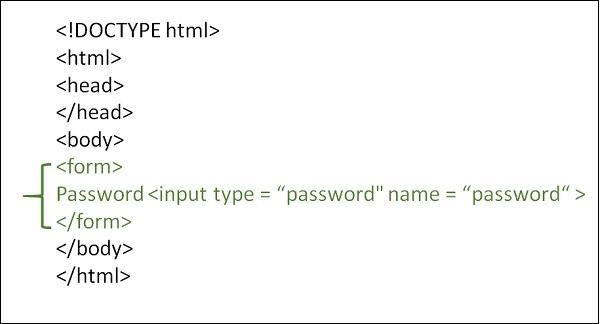
语法
<form>
   <input type="password" name="name… " value=" ">Male
</form>
示例 1
以下示例说明如何获取 HTML 中的密码输入:−
<!DOCTYPE html>
<html>
<body>
<head>
   <meta charset="UTF-8">
   <meta name="description" content="meta tag in the web document">
   <meta name="keywords" content="HTML,CSS">
   <meta name="author" content="lokesh">
   <meta name="viewport" content="width=device-width, initial-scale=1.0">
</head>
<p>Branch</p>
<form>
   <input type="password" id="CSE" name="Branch" value="CSE" >
   <label for="CSE">Enter password</label> <br>
   <input type="password" name="Branch" value="IT" >
   <label for="CSE">Re-enter password</label>
</form>
</body>
</html>
示例 2
以下提供另一个获取密码输入的示例。你可以尝试运行以下代码:−
<!DOCTYPE html>
<html>
<body>
<head>
   <title>HTML Forms</title>
</head>
<p>Add your details:</p>
<form>
   Student Username:<br> <input type="text" name="name">
   <br>
   Password:<br> <input type="password" name="password">
   <br>
</form>
</body>
</html>

更新时间: 19-Oct-2022
7K+ 浏览

广告