
 数据结构
数据结构 网络
网络 RDBMS
RDBMS 操作系统
操作系统 Java
Java MS Excel
 iOS
iOS HTML
HTML CSS
CSS Android
 Python
 C 编程
C 编程 C++
C++ C#
C# MongoDB
 MySQL
MySQL Javascript
 PHP
PHP 物理学
物理学 化学
化学 生物
生物 数学
数学 英语
英语 经济学
经济学 心理学
心理学 社会科学
社会科学 时尚研究
时尚研究 法律研究
法律研究使用 Tkinter 制作比率计算器 GUI
在本文中,我们将了解如何创建计算比率的功能性应用程序。为了使其完全发挥功能,我们将使用 SpinBox 方法,它通常为值创建一个理想的旋转器。此值可以通过框架中的旋转器小部件进行修改。因此,SpinBox 对象获取范围从最小值到最大值的值。
首先,我们将在其中定义小部件,创建 Tkinter 框架。
示例
from tkinter import *
win = Tk()

win.title("Ratio Calculator")
win.geometry("600x500")
win.resizable(0,0)
#Create text Label for Ratio Calculator

label= Label(win, text="Ratio Calculator", font=('Times New Roman', 25))

#Define the function to calculate the value

def ratio_cal():
   a1=int(a.get())
   b1= int(b.get())
   c1= int(c.get())

   val= (b1*c1)/a1

   x_val.config(text=val)

#Add another frame
frame= Frame(win)
frame.pack()

#Create Spin Boxes for A B and C

a= Spinbox(frame, from_=0, to= 100000, font=('Times New Roman', 14), width=10)
a.pack(side=LEFT,padx=10, pady=10)

b= Spinbox(frame,from_=0, to=100000, font=('Times New Roman', 14), width=10)
b.pack(side=LEFT, padx= 10, pady=10)

c= Spinbox(frame, from_=0, to=100000, font=('Times New Roman', 14), width= 10)
c.pack(side= LEFT, padx=10, pady=10)

x_val= Label(frame, text="",font=('Times New Roman', 18))
x_val.pack(side=LEFT)

#Create a Button to calculate the result

Button(win, text= "Calculate",command=ratio_cal, borderwidth=3, fg="white",
bg="black", width=15).pack(pady=20)

win.mainloop()
输出
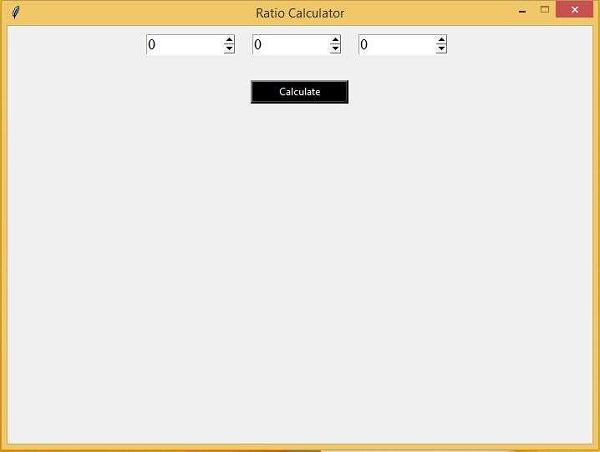
运行以上代码,将创建一个基于 GUI 的比率计算器。

更新时间:2021 年 3 月 6 日
378 次浏览

广告