
 数据结构
数据结构 网络
网络 关系型数据库管理系统 (RDBMS)
 操作系统
操作系统 Java
Java MS Excel
 iOS
iOS HTML
HTML CSS
CSS Android
 Python
 C语言编程
C语言编程 C++
C++ C#
C# MongoDB
 MySQL
MySQL Javascript
 PHP
PHP 物理学
物理学 化学
化学 生物学
生物学 数学
数学 英语
英语 经济学
经济学 心理学
心理学 社会学
社会学 服装设计
服装设计 法学
法学Shutter:终极Linux截图程序
您知道如何在Linux操作系统中截取屏幕截图吗?如果是,那么这篇文章就适合您!Linux操作系统上有许多工具可供使用,但我推荐的最受好评的截图工具是**Shutter**。它是一个开源程序,使用**perl**编写。它的设计非常出色,只需点击一下按钮即可轻松截取整个屏幕、屏幕区域、特定窗口甚至网站的屏幕截图。
Shutter 的功能
Shutter 工具的主要属性列在下面:
它可以捕获特定区域、窗口、菜单或工具栏
它可以使用**gnome-web-photo**捕获网站
易于向屏幕截图添加基本元素(例如矩形、线条等)
易于裁剪屏幕图像。
易于在论坛、维基百科等上分享。
易于上传到**Ubuntu One**(云)
安装 Shutter
要安装 Shutter,请使用以下命令:
$ sudo apt-get install shutter
示例输出应如下所示:
Reading package lists... Done
Building dependency tree
Reading state information... Done
The following extra packages will be installed:
imagemagick libbit-vector-perl libbonobo2-0 libbonobo2-common libbonoboui2-0
libbonoboui2-common libcairo-perl libcarp-clan-perl
libclass-data-inheritable-perl libclass-method-modifiers-perl
libcrypt-openssl-bignum-perl libcrypt-openssl-rsa-perl libdata-random-perl
libdate-calc-perl libdate-calc-xs-perl libextutils-depends-perl
libextutils-pkgconfig-perl libfile-which-perl libgd-perl libglade2-0
libglib-perl libgnome2-0 libgnome2-bin libgnome2-canvas-perl
libgnome2-common libgnome2-gconf-perl libgnome2-perl libgnome2-vfs-perl
libgnome2-wnck-perl libgnomecanvas2-0 libgnomecanvas2-common libgnomeui-0
libgnomeui-common libgnomevfs2-0 libgnomevfs2-common libgnomevfs2-extra
libgoo-canvas-perl libgoocanvas-common libgoocanvas3
.......
打开 Shutter
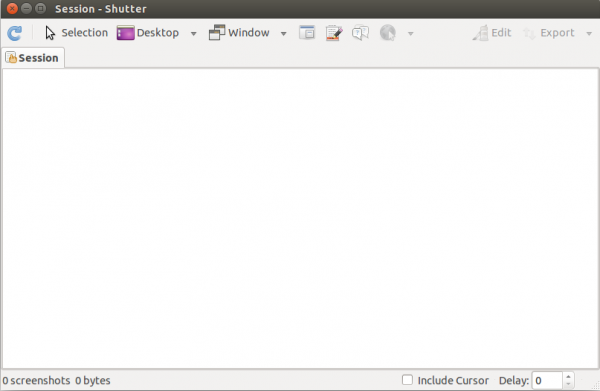
要打开 Shutter,请使用以下命令:
$ shutter
输出屏幕应如下所示:
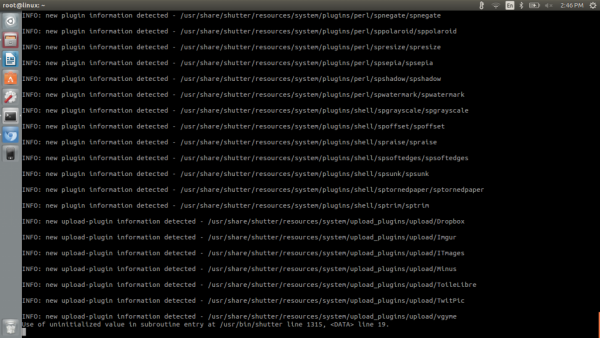
要使用命令行界面截取窗口的完整屏幕截图,请使用以下命令:
$ shutter --full
示例输出屏幕应如下所示:
要使用命令行界面截取所选窗口的屏幕截图,请使用以下命令:
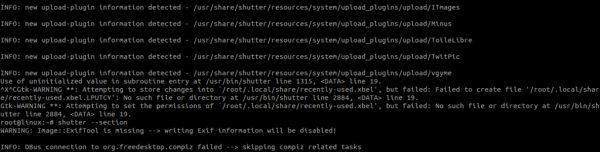
要使用命令行界面捕获窗口中所选空间,请使用以下命令:
$ shutter --selection
示例输出屏幕应如下所示:
要查看 Shutter 中的其他帮助选项,请使用以下命令:
$ shutter --help
示例输出应如下所示:
Usage:
   shutter [options]
Options:
   Example 1
      shutter -a -p=myprofile --min_at_startup
   Example 2
      shutter -s=100,100,300,300 -e
   Example 3
      shutter --window=.*firefox.*
   Example 4
      shutter --web=http://shutter-project.org/ -e
   Capture Mode Options:
      -s, --select=[X,Y,WIDTH,HEIGHT]
         Capture an area of the screen. Providing X,Y,WIDTH,HEIGHT is optional.
      -f, --full
         Capture the entire screen.
      -w, --window=[NAME_PATTERN]
         Select a window to capture. Providing a NAME_PATTERN (Perl-style regex) ist optional.
      -a, --active
         Capture the current active window.
      --section
         Capture a section. You will be able to select any child window by moving the mouse over it.
..........
恭喜!现在您知道如何使用 Shutter 工具在 Linux 操作系统中截取屏幕截图了。我们将在下一篇文章中学习更多关于这些类型命令的知识。继续关注!

更新于:2019年10月21日
178 次浏览

广告