
 数据结构
数据结构 网络
网络 关系数据库管理系统 (RDBMS)
 操作系统
操作系统 Java
Java MS Excel
 iOS
iOS HTML
HTML CSS
CSS Android
 Python
 C 编程
C 编程 C++
C++ C#
C# MongoDB
 MySQL
MySQL Javascript
 PHP
PHP 物理学
物理学 化学
化学 生物学
生物学 数学
数学 英语
英语 经济学
经济学 心理学
心理学 社会学
社会学 时尚研究
时尚研究 法律研究
法律研究Swift 在 iOS 中使用 Safari 打开链接
在 Swift 中,有两种方法可以打开链接。一种方法是使用 UIApplication 类在 Safari 浏览器中打开链接。另一种方法是在 iOS 中使用 SafariServices 框架。让我们看看一些基于这些方法打开链接的示例。
方法 1:使用 UIApplication 类
步骤 1 - 为要打开的链接创建一个 URL 对象。您可以使用 URL(string:) 初始化器来完成此操作。
步骤 2 - 创建 UIApplication 类的实例。此类负责管理应用程序的行为,包括打开 URL。
步骤 3 - 使用 UIApplication 类的 open(_:options:completionHandler:) 方法打开 URL。此方法采用三个参数:要打开的 URL、一个选项字典和一个完成处理程序。
您可以使用选项字典提供打开 URL 的其他选择,包括是否在前台或后台打开它,以及如果无法打开它是否显示警报。在本例中,我们通过传递空字典来使用默认设置。
打开 URL 后(或发生错误时),将调用名为完成处理程序的闭包。在本例中,我们通过传递 nil 来使用默认完成处理程序。
示例
将所有内容放在一起,这是一个使用 UIApplication 类打开链接的示例:
import UIKit
class TestController: UIViewController {

   private lazy var clickButton: UIButton = {
      let button = UIButton()
      button.addTarget(self, action: #selector(handleButtonClick), for: .touchUpInside)
      button.backgroundColor = .darkGray
      button.setTitle("Click to open link", for: .normal)
      button.setTitleColor(.white, for: .normal)
      button.titleLabel?.font = UIFont.systemFont(ofSize: 18, weight: .semibold)
      button.layer.cornerRadius = 5
      button.translatesAutoresizingMaskIntoConstraints = false
      return button
   }()

   override func viewDidLoad() {
      super.viewDidLoad()
      initialSetup()
   }

   private func initialSetup() {

      view.backgroundColor = .white
      navigationItem.title = "Open Link"

      view.addSubview(clickButton)

      clickButton.widthAnchor.constraint(equalToConstant: 200).isActive = true
      clickButton.heightAnchor.constraint(equalToConstant: 50).isActive = true
      clickButton.centerYAnchor.constraint(equalTo: view.centerYAnchor).isActive = true
      clickButton.centerXAnchor.constraint(equalTo: view.centerXAnchor).isActive = true
   }

   @objc private func handleButtonClick() {
      if let url = URL(string: "https://tutorialspoint.com") {
         let application = UIApplication.shared
         application.open(url, options: [:], completionHandler: nil)
      }
   }
}
输出
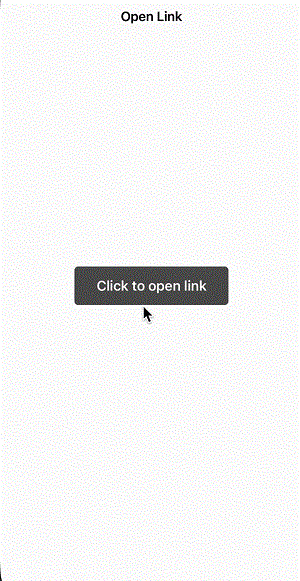
在上面的示例中,我们使用字符串创建了一个 URL 对象。然后,我们使用共享 UIApplication 实例的 open 方法打开 URL。
这将在设备上的默认浏览器应用程序(通常是 iOS 上的 Safari)中打开 URL。请注意,此方法会将用户从您的应用程序切换到浏览器应用程序。
方法 2:使用 SafariServices 框架
步骤 1 - 首先,将 SafariServices 框架导入到您的 Swift 文件中。
步骤 2 - 为要打开的链接创建一个 URL 对象。您可以使用 URL(string:) 初始化器来完成此操作。
步骤 3 - 接下来,创建一个 SFSafariViewController 实例并传入要打开的 URL。
步骤 4 - 使用视图控制器的 present(_:animated:completion:) 方法呈现 SFSafariViewController。
SFSafariViewController 将负责显示网页并允许用户与其交互。当用户完成浏览后,他们只需关闭 SFSafariViewController 即可返回您的应用程序。
示例
将所有内容放在一起,这是一个使用 SafariServices 框架打开链接的示例:
import UIKit
import SafariServices
class TestController: UIViewController {

   private lazy var clickButton: UIButton = {
      let button = UIButton()
      button.addTarget(self, action: #selector(handleButtonClick), for: .touchUpInside)
      button.backgroundColor = .darkGray
      button.setTitle("Click to open link", for: .normal)
      button.setTitleColor(.white, for: .normal)
      button.titleLabel?.font = UIFont.systemFont(ofSize: 18, weight: .semibold)
      button.layer.cornerRadius = 5
      button.translatesAutoresizingMaskIntoConstraints = false
      return button
   }()

   override func viewDidLoad() {
      super.viewDidLoad()
      initialSetup()
   }

   private func initialSetup() {

      view.backgroundColor = .white
      navigationItem.title = "Open Link"

      view.addSubview(clickButton)

      clickButton.widthAnchor.constraint(equalToConstant: 200).isActive = true
      clickButton.heightAnchor.constraint(equalToConstant: 50).isActive = true
      clickButton.centerYAnchor.constraint(equalTo: view.centerYAnchor).isActive = true
      clickButton.centerXAnchor.constraint(equalTo: view.centerXAnchor).isActive = true
   }

   @objc private func handleButtonClick() {
      if let url = URL(string: "https://tutorialspoint.com") {
         let safariViewController = SFSafariViewController(url: url)
         present(safariViewController, animated: true, completion: nil)
      }
   }
}
输出
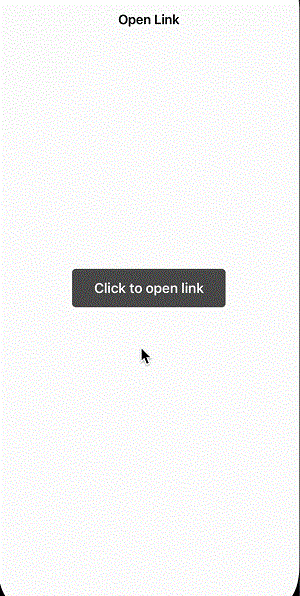
这将在您的应用程序中使用 Safari 浏览器视图控制器打开 URL,为您的用户提供无缝的浏览体验。SafariServices 框架还为浏览器视图控制器提供了多个自定义选项,允许您调整浏览器的外观和行为以匹配您的应用程序设计。
结论
总之,使用 SafariServices 框架在 Swift 中访问链接是一种简单有效的方法,可以为您的用户提供流畅的浏览体验。该框架的 SFSafariViewController 类使在您的应用程序内轻松显示网络信息,同时保持一致的外观和感觉。
此外,SafariServices 框架还为浏览器视图控制器提供多种自定义选项,使您可以修改浏览器的外观和感觉,以符合您应用程序的设计。如果您需要在应用程序外部打开链接,则可以替代地使用 UIApplication 类的 open(_:options:completionHandler:) 方法,但这会将用户从您的应用程序切换到设备的默认浏览器应用程序。

2K+ 浏览量
