
 数据结构
数据结构 网络
网络 关系型数据库管理系统
 操作系统
操作系统 Java
Java MS Excel
 iOS
iOS HTML
HTML CSS
CSS 安卓
安卓 Python
 C 编程
C 编程 C++
C++ C#
C# MongoDB
 MySQL
MySQL Javascript
 PHP
PHP 物理
物理 化学
化学 生物
生物 数学
数学 英语
英语 经济学
经济学 心理学
心理学 社会研究
社会研究 时尚研究
时尚研究 法律研究
法律研究TkInter 键盘按下、键盘释放事件
Tkinter 事件一般用于提供一个作为用户和应用程序逻辑之间桥梁的界面。我们可以在任何 Tkinter 应用程序中使用事件来使其更加交互和实用。如 <Key Press> 和 <KeyRelease> 等事件用于仅在按下或释放某个键时调用一个特定的函数。
示例
在该示例中,我们将创建一个脚本,每当我们按下某个键时都会在屏幕上显示一些消息。当我们释放同一个键时这些消息就会消失。
# Import the Required libraries
from tkinter import *

# Create an instance of tkinter frame or window
win= Tk()

# Set the size of the window
win.geometry("700x350")

# Define a function to display the message
def key_press(e):
   label.config(text="Welcome to TutorialsPoint")

def key_released(e):
   label.config(text="Press any Key...")
# Create a label widget to add some text
label= Label(win, text= "", font= ('Helvetica 17 bold'))
label.pack(pady= 50)

# Bind the Mouse button event
win.bind('<KeyPress>',key_press)
win.bind('<KeyRelease>',key_released )
win.mainloop()
输出
运行以上代码将显示一个带标签的窗口。
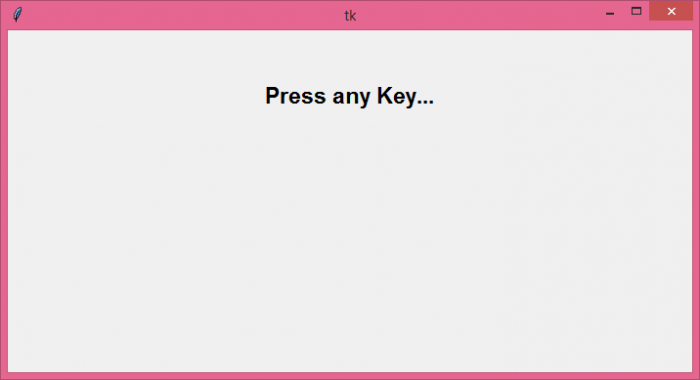
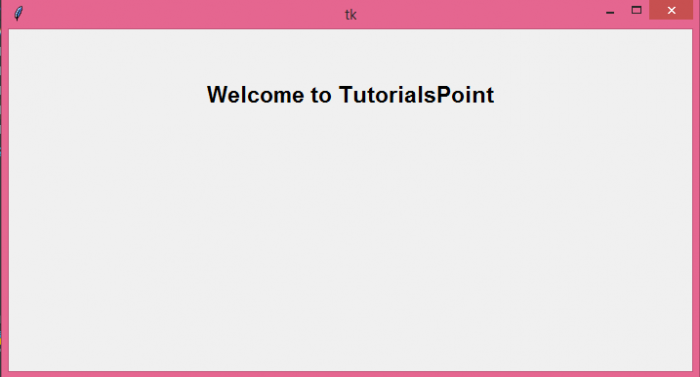
当你从键盘按下一个键时,它会在屏幕上显示一些消息。同时,当松开该键时也会更新这条消息。

更新于:07-06-2021
11K+ 浏览

广告