- WCF 教程
- WCF - 首页
- WCF - 概述
- WCF - 与 Web 服务的比较
- WCF - 开发人员工具
- WCF - 架构
- WCF - 创建 WCF 服务
- WCF - 托管 WCF 服务
- WCS - IIS 托管
- WCF - 自托管
- WCF - WAS 托管
- WCF - Windows 服务托管
- WCF - 使用 WCF 服务
- WCF - 服务绑定
- WCF - 实例管理
- WCF - 事务
- WCF - RIA 服务
- WCF - 安全性
- WCF - 异常处理
- WCF 资源
- WCF - 快速指南
- WCF - 有用资源
- WCF - 讨论
WCF - 使用 WCF 服务
WCF 服务允许其他应用程序访问或使用它们。WCF 服务可以通过多种方式使用,具体取决于托管类型。在这里,我们将解释逐步使用 WCF 服务的方法,适用于以下每种流行的托管选项:
- 使用在 IIS 5/6 中托管的 WCF 服务
- 使用自托管的 WCF 服务
- 使用在 Windows 激活服务中托管的 WCF 服务
- 使用在 Windows 服务中托管的 WCF 服务
使用在 IIS 5/6 中托管的 WCF 服务
下面详细讨论了在 IIS 5/6 中托管的 WCF 服务的使用过程。此外,讨论还包括如何创建代理和控制台应用程序。
步骤 1 - 服务托管在 IIS 中后,我们必须在客户端应用程序中使用它。在创建客户端应用程序之前,我们需要为服务创建一个代理。客户端应用程序使用此代理与服务进行交互。要创建代理,请运行 Visual Studio 2008 命令提示符。使用服务实用程序,我们可以创建代理类及其配置信息。
svcutil https:///IISHostedService/Service.svc
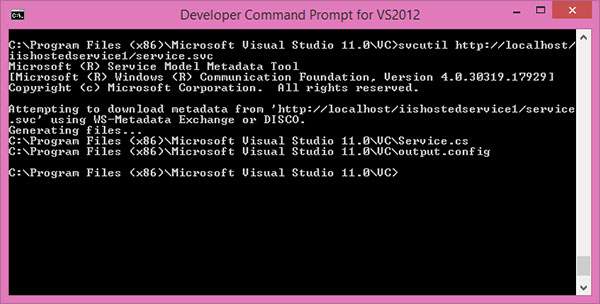
执行此命令后,将在默认位置生成两个文件。
MyService.cs - WCF 服务的代理类
output.config - 关于服务的配置信息
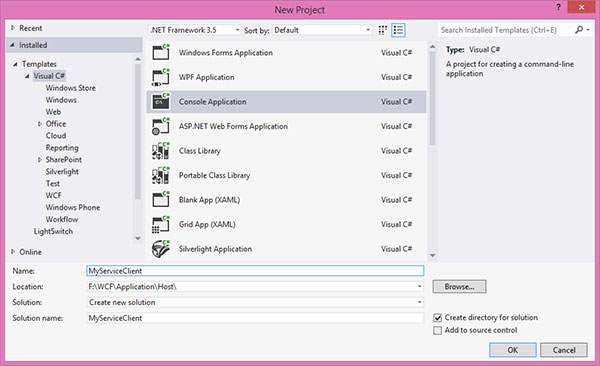
步骤 2 - 现在,我们将开始使用 Visual Studio 2008 创建控制台应用程序(客户端应用程序)。
步骤 3 - 添加引用“System.ServiceModel”;这是 WCF 的核心 dll。
步骤 4 - 创建一个代理类。
using System;
using System.Collections.Generic;
using System.Linq;
using System.Text;

namespace MyServiceClient {
   Class Program {
      Static void Main(string[] args) {
         // Creating Proxy for the MyService
         ServiceClient Client = newServiceClient();
         Console.WriteLine("Client calling the service...");
         Console.WriteLine("Hello Ram");
         Console.Read();
      }
   }
}
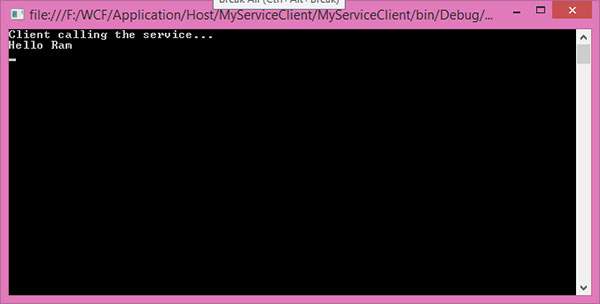
输出如下所示:
使用自托管 WCF 服务
这里,逐步解释了使用自托管 WCF 服务的整个过程,并在必要时提供足够的代码和屏幕截图。
步骤 1 - 服务已托管,现在我们需要为客户端实现代理类。创建代理的方法有很多。
使用 SvcUtil.exe,我们可以创建代理类及其带有端点的配置文件。
向客户端应用程序添加服务引用。
实现 ClientBase<T> 类
在这三种方法中,实现 ClientBase<T> 是最佳实践。如果您使用其他两种方法,则每次在服务实现中进行任何更改时都需要创建一个代理类。但 ClientBase<T> 并非如此。它只在运行时创建代理,因此它会处理所有事情。
为此,创建一个包含 System.ServiceModel 和 MyCalculatorService 引用 的代理类。
using System;
using System.Collections.Generic;
using System.Linq;
using System.Text;
using System.ServiceModel;
using MyCalculatorService;

namespace MyCalculatorServiceProxy {
   // WCF create proxy for ISimpleCalculator using ClientBase
   Public class MyCalculatorServiceProxy :
   ClientBase<ISimpleCalculator>,

   ISimpleCalculator {
      Public int Add(int num1, int num2) {
         //Call base to do funtion
         returnbase.Channel.Add(num1, num2);
      }
   }
}
现在,创建一个包含 System.ServiceModel 和 MyCalculatorServiceProxy 引用 的控制台应用程序。
using System;
using System.Collections.Generic;
using System.Linq;
using System.Text;
using System.ServiceModel;
using MyCalculatorServiceProxy;

namespace MyCalculatorServiceClient {
   classProgram {
      Static void Main(string[] args) {
         MyCalculatorServiceProxy.MyCalculatorServiceProxy proxy = newMyCalculatorServiceProxy.MyCalculatorServiceProxy();

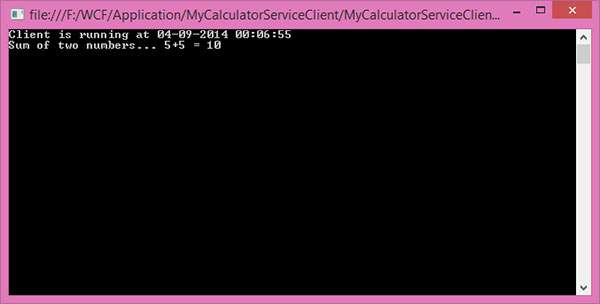
         Console.WriteLine("Client is running at " + DateTime.Now.ToString());
         Console.WriteLine("Sum of two numbers. 5 + 5 =" + proxy.Add(5,5));
         Console.ReadLine();
      }
   }
}
步骤 2 - 端点(与服务相同)信息应添加到客户端应用程序的配置文件中。
<?xmlversion = "1.0"encoding = "utf-8" ?>
<configuration>
   <system.serviceModel>
      <client>
         <endpoint address
            ="https://:8090/MyCalculatorServiceProxy/ISimpleCalculator"
            binding = "wsHttpBinding" contract "MyCalculatorServiceProxy.ISimpleCalculator">
            </endpoint>
      </client>
   </system.serviceModel>
</configuration>
步骤 3 - 在运行客户端应用程序之前,您需要运行服务。以下是客户端应用程序的输出。
使用在 WAS 中托管的 WCF 服务
使用在 WAS 中托管的 WCF 服务是一个简单的过程,只需几个步骤即可完成。步骤如下:
- 将代理类和配置文件添加到客户端应用程序。
- 为 MathServiceClient 创建对象并调用方法。
using System;
using System.Collections.Generic;
using System.Linq;
using System.Text;

namespaceWASHostedClient {
   classProgram {
      staticvoid Main(string[] args) {
         MathServiceClient client = newMathServiceClient();
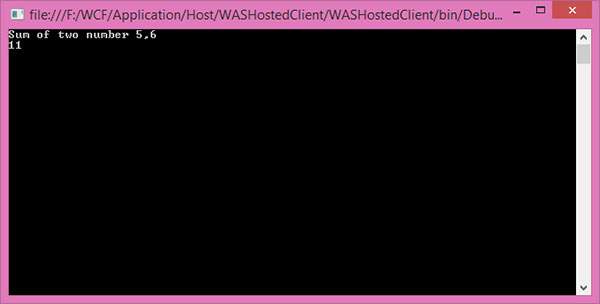
         Console.WriteLine("Sum of two number 5,6");
         Console.WriteLine(client.Add(5, 6));
         Console.ReadLine();
      }
   }
}
输出如下所示。
使用在 Windows 服务中托管的 WCF 服务
下面详细说明了如何在 Windows 服务中托管 WCF 服务的逐步过程,并提供代码和说明。
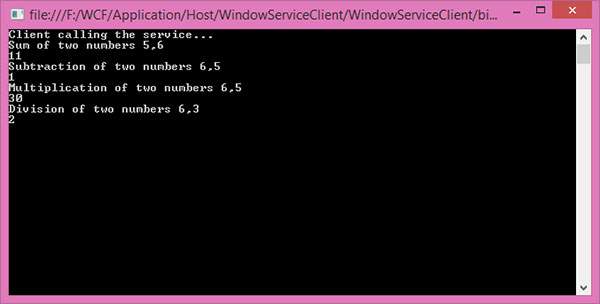
成功托管后,我们可以为服务创建代理类,并在客户端应用程序中开始使用。这里,它显示了使用 IIS 托管类型。
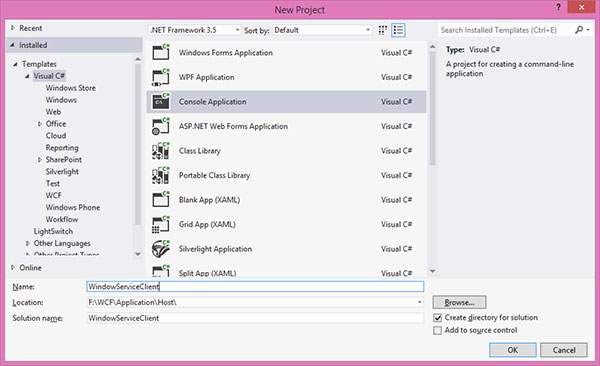
添加 ServiceModel 的引用。
using System;
using System.Collections.Generic;
using System.Linq;
using System.Text;

namespaceWindowServiceClient {
   classProgram {
      staticvoid Main(string[] args) {
         //Creating Proxy for the MyService
         MyServiceClient client = newMyServiceClient();
         Console.WriteLine("Client calling the service...");
         Console.WriteLine("Sum of two numbers 5,6");
         Console.WriteLine(client.Add(5, 6));

         Console.WriteLine("Subtraction of two numbers 6,5");
         Console.WriteLine(client.Sub(6, 5));

         Console.WriteLine("Multiplication of two numbers 6,5");
         Console.WriteLine(client.Mul(6, 5));

         Console.WriteLine("Division of two numbers 6,3");
         Console.WriteLine(client.Div(6, 3));
         Console.Read();
      }
   }
}
输出如下所示: