
 数据结构
数据结构 网络
网络 关系型数据库管理系统
 操作系统
操作系统 Java
Java MS Excel
 iOS
iOS HTML
HTML CSS
CSS Android
 Python
 C 编程
C 编程 C++
C++ C#
C# MongoDB
 MySQL
MySQL Javascript
 PHP
PHP 物理学
物理学 化学
化学 生物学
生物学 数学
数学 英语
英语 经济学
经济学 心理学
心理学 社会学
社会学 时尚研究
时尚研究 法律研究
法律研究使用 Label.configure() 动态更改 Tkinter 标签文本
Tkinter 中的 Label 控件通常用于显示文本和图像。可以使用构造函数 **Label(root, text= "this is my text")** 在 Label 控件中添加文本。定义 Label 控件后,可以使用任何几何管理器来打包 Label 控件。
如果要配置 Label 控件,可以使用 **configure()** 属性。**configure()** 方法允许您动态编辑文本以及 Label 控件的其他属性。
示例
让我们以一个示例来了解如何使用 **configure()** 方法动态更改 tkinter 标签文本。在此示例中,我们将创建一个 Label 文本控件和一个按钮来更新标签控件的文本。
# Import the required library
from tkinter import *

# Create an instance of tkinter frame or widget
win = Tk()
win.geometry("700x350")

def update_text():
   # Configuring the text in Label widget
   label.configure(text="This is updated Label text")

# Create a label widget
label=Label(win, text="This is New Label text", font=('Helvetica 14 bold'))
label.pack(pady= 30)

# Create a button to update the text of label widget
button=Button(win, text= "Update", command=update_text)
button.pack()

win.mainloop()
输出
运行以上代码将显示一个窗口,其中包含一个包含某些文本的标签控件和一个按钮。
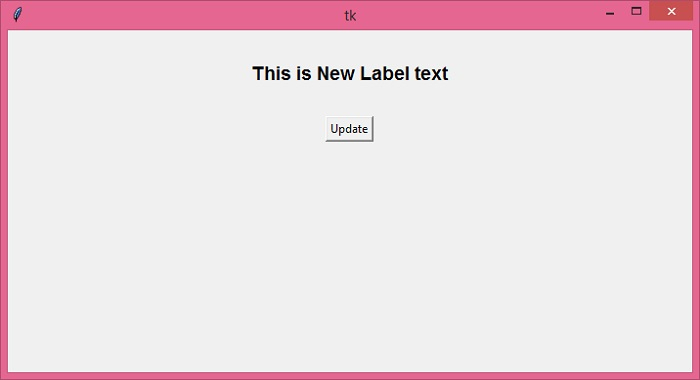
单击按钮时,它将更新文本。


更新于: 2021年12月22日
8K+ 次查看

广告