
 数据结构
数据结构 网络
网络 RDBMS
RDBMS 操作系统
操作系统 Java
Java MS Excel
 iOS
iOS HTML
HTML CSS
CSS Android
 Python
 C 编程
C 编程 C++
C++ C#
C# MongoDB
 MySQL
MySQL Javascript
 PHP
PHP 物理
物理 化学
化学 生物
生物 数学
数学 英语
英语 经济
经济 心理学
心理学 社会研究
社会研究 时尚研究
时尚研究 法律研究
法律研究如何在 JavaFX 中创建 TabPane?
TabPane 是 GUI 组件,使用该组件可以在一个窗口中加载多个文档。选项卡窗格具有标题区域和内容区域,你可以通过单击各个标题在选项卡之间切换。你可以通过实例化 javafx.scene.control.TabPane 类来创建选项卡窗格。
创建选项卡
选项卡窗格中的每个选项卡都由 javafx.scene.control.Tab 类表示,你可以使用此类的 setText() 和 setContent() 方法分别设置选项卡的标题和内容。
一旦你创建了所需的所有选项卡,你需要将它们添加到窗格中,如下所示 −
tabPane.getTabs().addAll(tab1, tab2);
示例
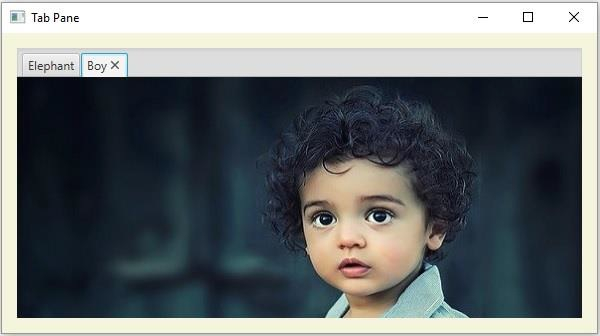
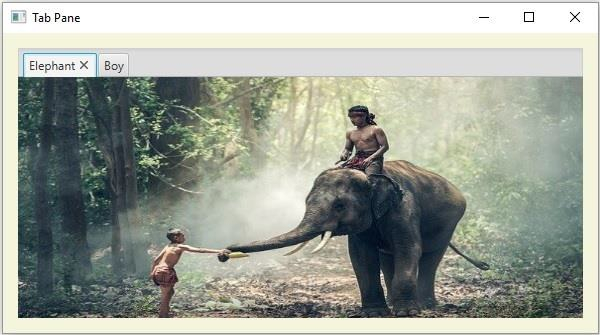
以下 JavaFX 程序演示了如何创建 TabPane。
import java.io.FileInputStream;
import java.io.FileNotFoundException;
import javafx.application.Application;
import javafx.scene.Scene;
import javafx.scene.control.Tab;
import javafx.scene.control.TabPane;
import javafx.scene.image.Image;
import javafx.scene.image.ImageView;
import javafx.scene.layout.AnchorPane;
import javafx.stage.Stage;
public class TabPaneExample extends Application {
   public void start(Stage stage) throws FileNotFoundException {
      //Creating ImageView object1
      Image img1 = new Image(new FileInputStream("D:\images\elephant.jpg"));
      ImageView view1 = new ImageView(img1);
      view1.setFitWidth(595);
      view1.setFitHeight(270);
      //Creating ImageView object2
      Image img2 = new Image(new FileInputStream("D:\images\boy.jpg"));
      ImageView view2 = new ImageView(img2);
      view2.setFitWidth(595);
      view2.setFitHeight(270);
      //Creating a TabPane
      TabPane tabPane = new TabPane();
      //Creating the first tab
      Tab tab1 = new Tab();
      //Setting the text
      tab1.setText("Elephant");
      //Setting the content
      tab1.setContent(view1);
      //Creating the second tab
      Tab tab2 = new Tab();
      //Setting the text
      tab2.setText("Boy");
      //Setting the content
      tab2.setContent(view2);
      //Adding tabs to the tab pane
      tabPane.getTabs().addAll(tab1, tab2);
      //Setting anchor pane as the layout
      AnchorPane pane = new AnchorPane();
      AnchorPane.setTopAnchor(tabPane, 15.0);
      AnchorPane.setRightAnchor(tabPane, 15.0);
      AnchorPane.setBottomAnchor(tabPane, 15.0);
      AnchorPane.setLeftAnchor(tabPane, 15.0);
      pane.getChildren().addAll(tabPane);
      pane.setStyle("-fx-background-color: BEIGE");
      //Setting the stage
      Scene scene = new Scene(pane, 595, 300);
      stage.setTitle("Tab Pane");
      stage.setScene(scene);
      stage.show();
   }
   public static void main(String args[]){
      launch(args);
   }
}
输出
男孩 −
大象 −

更新于: 20-May-2020
2K+ 浏览

广告