
 数据结构
数据结构 网络
网络 关系型数据库管理系统
 操作系统
操作系统 Java
Java Microsoft Excel
 iOS
iOS HTML
HTML CSS
CSS Android
 Python
 C 编程
C 编程 C++
C++ C#
C# MongoDB
 MySQL
MySQL Javascript
 PHP
PHP 物理
物理 化学
化学 生物
生物 数学
数学 英语
英语 经济学
经济学 心理学
心理学 社会科学
社会科学 时尚研究
时尚研究 法律研究
法律研究如何用 tkinter 根据鼠标坐标画一条线?
为了根据鼠标坐标画一条线,我们需要创建一个函数来获取每次鼠标点击的坐标,进而绘制两相邻点之间的线。我们来举个例子,看看可以如何完成。
步骤 -
导入 tkinter 库并创建一个 tkinter 帧实例。
使用 geometry 方法设置帧的大小。
创建一个用户自定义方法 "draw_line",用于获取每一次鼠标点击的 x 和 y 坐标。然后使用 Canvas 的 create_line() 方法在两相邻点之间绘制一条线。
将鼠标左键点击绑定到 draw_line 方法。
最后,运行应用程序窗口的 mainloop。
示例
# Import the library
import tkinter as tk

# Create an instance of tkinter
win = tk.Tk()

# Window size
win.geometry("700x300")

# Method to draw line between two consecutive points
def draw_line(e):
   x, y = e.x, e.y
   if canvas.old_coords:
      x1, y1 = canvas.old_coords
      canvas.create_line(x, y, x1, y1, width=5)
   canvas.old_coords = x, y

canvas = tk.Canvas(win, width=700, height=300)
canvas.pack()
canvas.old_coords = None

# Bind the left button the mouse.
win.bind('<ButtonPress-1>', draw_line)

win.mainloop()
输出
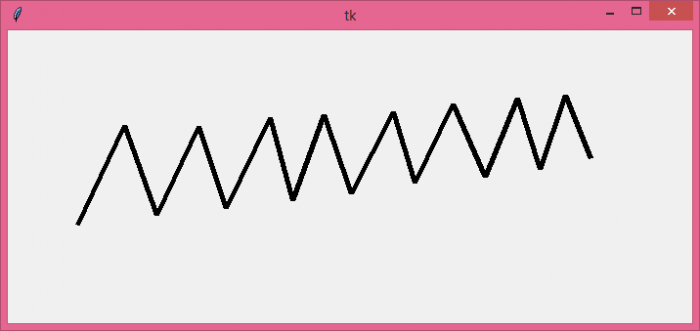
它将追踪鼠标左键点击并绘制每两相邻点之间的一条线。

更新时间: 2021 年 10 月 26 日
3K+ 次查看

广告