
 数据结构
数据结构 网络
网络 RDBMS
RDBMS 操作系统
操作系统 Java
Java MS Excel
 iOS
iOS HTML
HTML CSS
CSS Android
 Python
 C 编程
C 编程 C++
C++ C#
C# MongoDB
 MySQL
MySQL Javascript
 PHP
PHP 物理
物理 化学
化学 生物
生物 数学
数学 英语
英语 经济学
经济学 心理学
心理学 社会学
社会学 服装设计
服装设计 法律学
法律学使用 Tkinter 在两次鼠标点击之间绘制一条线
考虑一种创建 GUI 应用程序的情况,在这种情况下,当我们用鼠标按钮点击窗口时,它会存储坐标并在两个给定点之间创建一条线。Tkinter 提供了允许用户将键或按钮与函数绑定的事件。
若要绘制两点之间的线,我们可以按照以下一般步骤操作:
创建一个画布小部件并将其打包以在窗口中显示。
定义一个函数 draw_line(),该函数作为用户执行点击事件时的事件。
创建一个全局变量来计算画布中的点击次数。
如果计数为二,则在第一个和第二个坐标之间绘制一条线。
将鼠标按钮与回调函数绑定以完全控制该函数。
示例
# Import the required libraries
from tkinter import *
from tkinter import ttk

# Create an instance of tkinter frame or window
win=Tk()

# Set the size of the window
win.geometry("700x350")

# Define a function to draw the line between two points
def draw_line(event):
   global click_num
   global x1,y1
   if click_num==0:
      x1=event.x
      y1=event.y
      click_num=1
   else:
      x2=event.x
      y2=event.y
   # Draw the line in the given co-ordinates
   canvas.create_line(x1,y1,x2,y2, fill="green", width=10)

# Create a canvas widget
canvas=Canvas(win, width=700, height=350, background="white")
canvas.grid(row=0, column=0)
canvas.bind('<Button-1>', draw_line)
click_num=0

win.mainloop()
输出
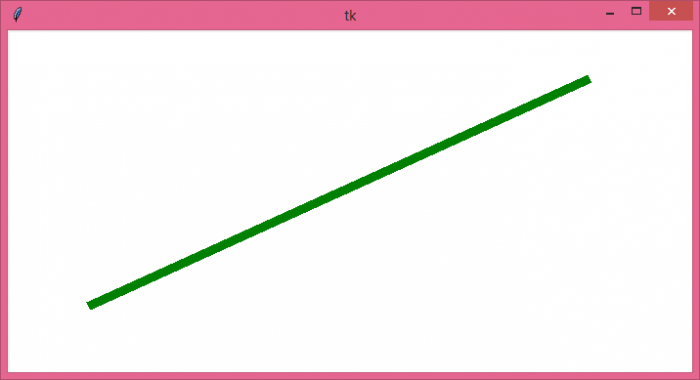
运行以上代码以显示一个窗口。如果我们点击画布小部件两次,无论点击哪里,它都会在画布中绘制一条线。

更新于: 2021 年 10 月 11 日
1K+ 浏览

广告