
 数据结构
数据结构 网络
网络 关系型数据库管理系统
 操作系统
操作系统 Java
Java Microsoft Excel
 iOS
iOS HTML
HTML CSS
CSS Android
 Python
 C 编程
C 编程 C++
C++ C#
C# MongoDB
 MySQL
MySQL Javascript
 PHP
PHP 物理
物理 化学
化学 生物
生物 数学
数学 英语
英语 经济学
经济学 心理学
心理学 社会学
社会学 时尚研究
时尚研究 法律研究
法律研究如何在 Tkinter 中删除列表框中选定的多项?
假设我们已经使用 Tkinter 中的 Listbox 方法创建了一个列表框,并且我们想要从此列表中删除多个选定项。
为了从列表框中选择多个列表,我们将使用 selectmode 作为 MULTIPLE。现在,通过列表进行迭代,我们可以使用某些按钮执行删除操作。
示例
#Import the required libraries
from tkinter import *

#Create an instance of tkinter frame or window
win= Tk()

#Set the geometry
win.geometry("700x400")

#Create a text Label
label= Label(win, text="Select items from the list", font= ('Poppins bold', 18))
label.pack(pady= 20)

#Define the function
def delete_item():
   selected_item= my_list.curselection()
   for item in selected_item[::-1]:
      my_list.delete(item)

my_list= Listbox(win, selectmode= MULTIPLE)
my_list.pack()
items=['C++','java','Python','Rust','Ruby','Machine Learning']

#Now iterate over the list
for item in items:
   my_list.insert(END,item)

#Create a button to remove the selected items in the list
Button(win, text= "Delete", command= delete_item).pack()

#Keep Running the window
win.mainloop()
输出
运行上述代码将生成以下输出 -
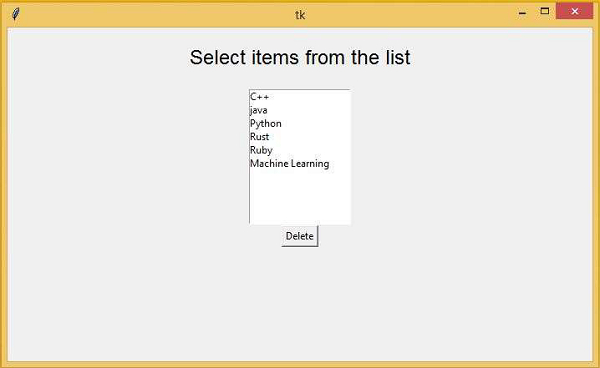
现在,您可以在列表框中选择多个条目,然后单击“删除”按钮以从列表中移除这些条目。
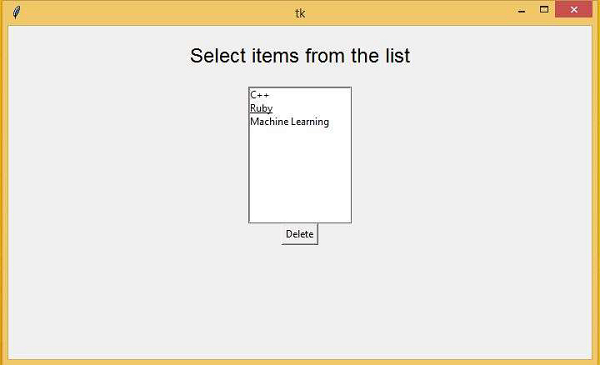
观察一下,在这里,我们通过使用“删除”按钮从列表中删除了三个条目。

更新于:06-Mar-2021
593 次浏览

广告