
 数据结构
数据结构 网络
网络 关系型数据库管理系统
 操作系统
操作系统 Java
Java MS Excel
 iOS
iOS HTML
HTML CSS
CSS Android
 Python
 C 编程
C 编程 C++
C++ C#
C# MongoDB
 MySQL
MySQL Javascript
 PHP
PHP 物理
物理 化学
化学 生物
生物 数学
数学 英语
英语 经济学
经济学 心理学
心理学 社会学
社会学 时尚研究
时尚研究 法律研究
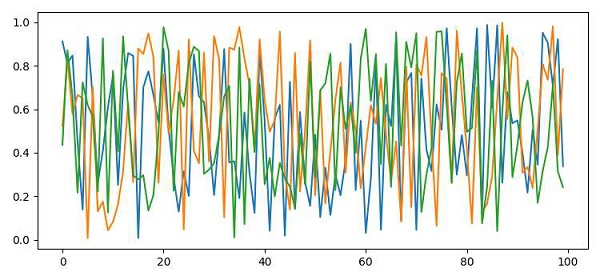
法律研究如何以 RGB 格式将图形保存到 numpy 数组中?
若要将图形以 RGB 格式保存到 numpy 数组,我们可采取以下步骤:
使用 numpy 创建r、g和b随机数组。
合并r、g和b(从步骤 1 起)以形成rgb元组列表。
将rgb转换成 numpy 数组以绘制它。
绘制rgb格式的 numpy 数组。
将图形保存到当前位置。
若要显示图形,请使用show()方法。
示例
import numpy as np
from matplotlib import pyplot as plt
plt.rcParams["figure.figsize"] = [7.50, 3.50]
plt.rcParams["figure.autolayout"] = True
r = np.random.rand(100)
g = np.random.rand(100)
b = np.random.rand(100)
rgb = zip(r, g, b)
arr = np.array([item for item in rgb])
plt.plot(arr)
plt.savefig("myplot.png")
plt.show()
输出

更新于: 2021 年 4 月 10 日
已浏览 1000+ 次

广告