
 数据结构
数据结构 网络
网络 关系数据库管理系统 (RDBMS)
 操作系统
操作系统 Java
Java MS Excel
 iOS
iOS HTML
HTML CSS
CSS Android
 Python
 C语言编程
C语言编程 C++
C++ C#
C# MongoDB
 MySQL
MySQL Javascript
 PHP
PHP 物理
物理 化学
化学 生物
生物 数学
数学 英语
英语 经济学
经济学 心理学
心理学 社会学
社会学 服装设计
服装设计 法学
法学如何使用Python(Tkinter)截取窗口截图?
Python拥有丰富的模块和函数库,允许我们构建和开发功能强大的应用程序。Tkinter是一个著名的Python库,用于创建基于GUI的应用程序。如果我们想开发一个截取窗口截图的应用程序,我们肯定可以使用Tkinter来构建应用程序的GUI。以下应用程序的步骤将有助于了解我们的应用程序是如何工作的:
**所需库** – Pillow(PIL)用于图像处理,Python中的Time模块用于随机化文件名和周期处理。
在窗口中创建一个标签小部件,并添加一个按钮来截取屏幕截图。
定义一个函数,**screenshot()**,它将截取窗口的屏幕截图并将文件保存在本地目录中。
为了防止Tkinter窗口也被截取到图片中,我们可以使用**withdraw()**函数来隐藏窗口。
示例
# Import the required libraries
from tkinter import *
import time
from PIL import ImageTk, Image
import pyautogui as pg

# Create an instance of tkinter frame or window
win = Tk()

# Set the size of the window
win.geometry("700x350")

# Define a function for taking screenshot
def screenshot():
   random = int(time.time())
   filename = "C:/Users/Sairam/Documents/" \ + str(random) + ".jpg"
   ss = pg.screenshot(filename)
   ss.show()
   win.deiconify()

def hide_window():
   # hiding the tkinter window while taking the screenshot
   win.withdraw()
   win.after(1000, screenshot)

# Add a Label widget
   Label(win, text="Click the Button to Take the Screenshot", font=('Times New Roman', 18, 'bold')).pack(pady=10)

# Create a Button to take the screenshots
button = Button(win, text="Take Screenshot", font=('Aerial 11 bold'), background="#aa7bb1", foreground="white", command=hide_window)
button.pack(pady=20)

win.mainloop()
输出
运行以上代码将显示一个包含按钮和标签文本的窗口。
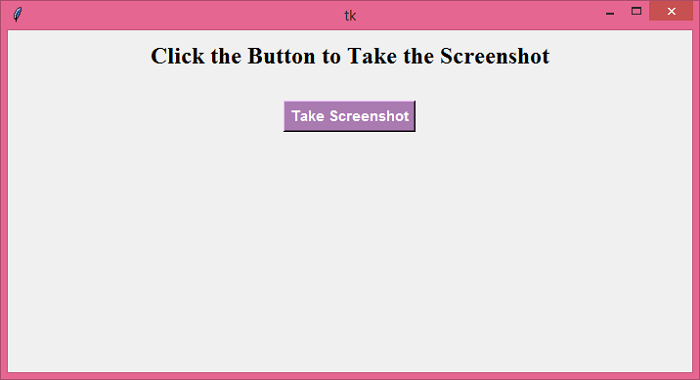
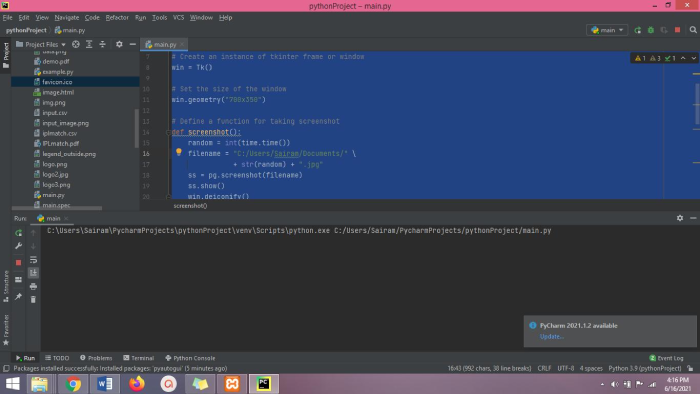
当我们单击按钮时,它将截取窗口的屏幕截图并将其保存在本地目录中。

更新于:2021年6月18日
2K+ 次浏览

广告